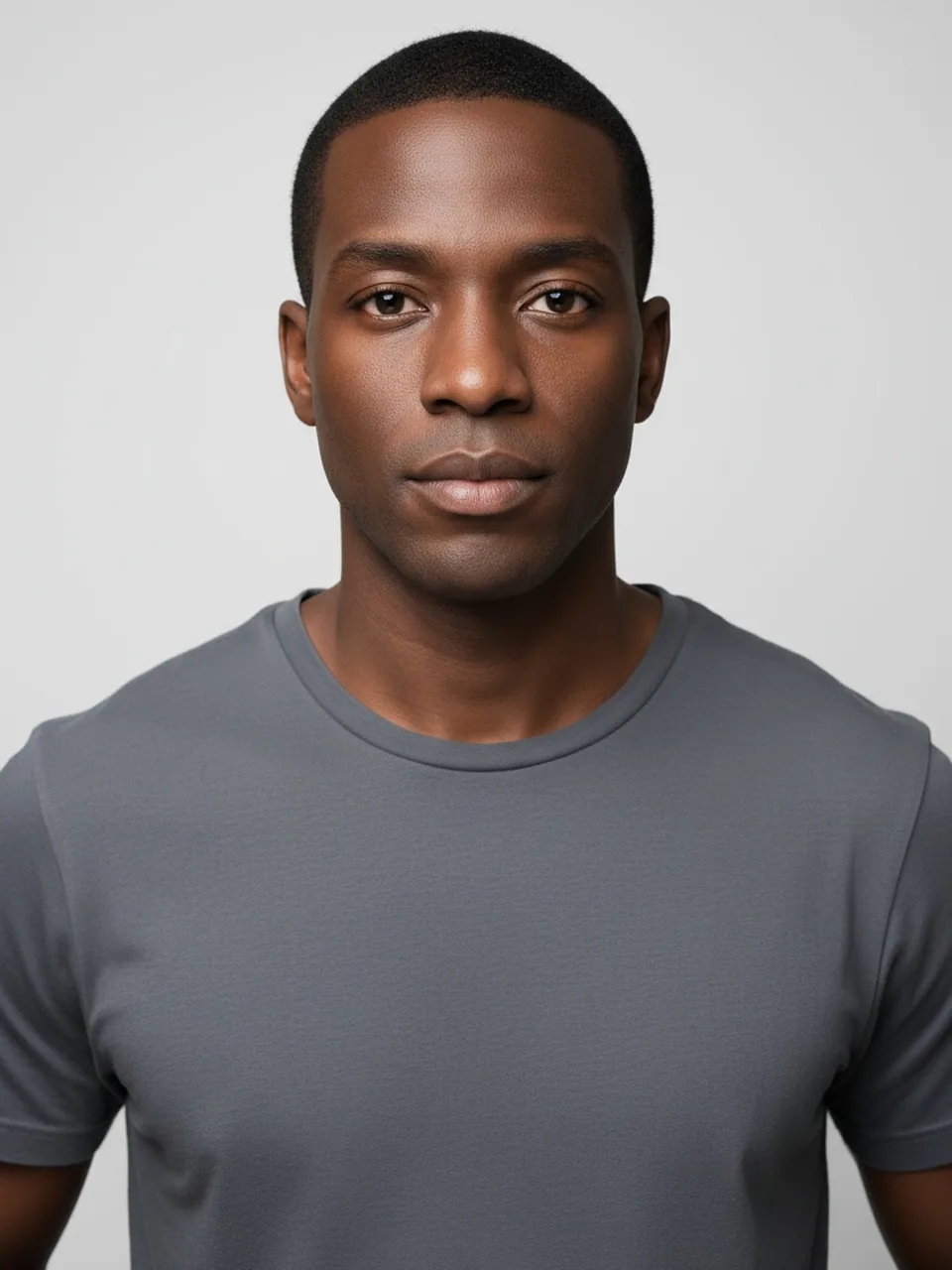
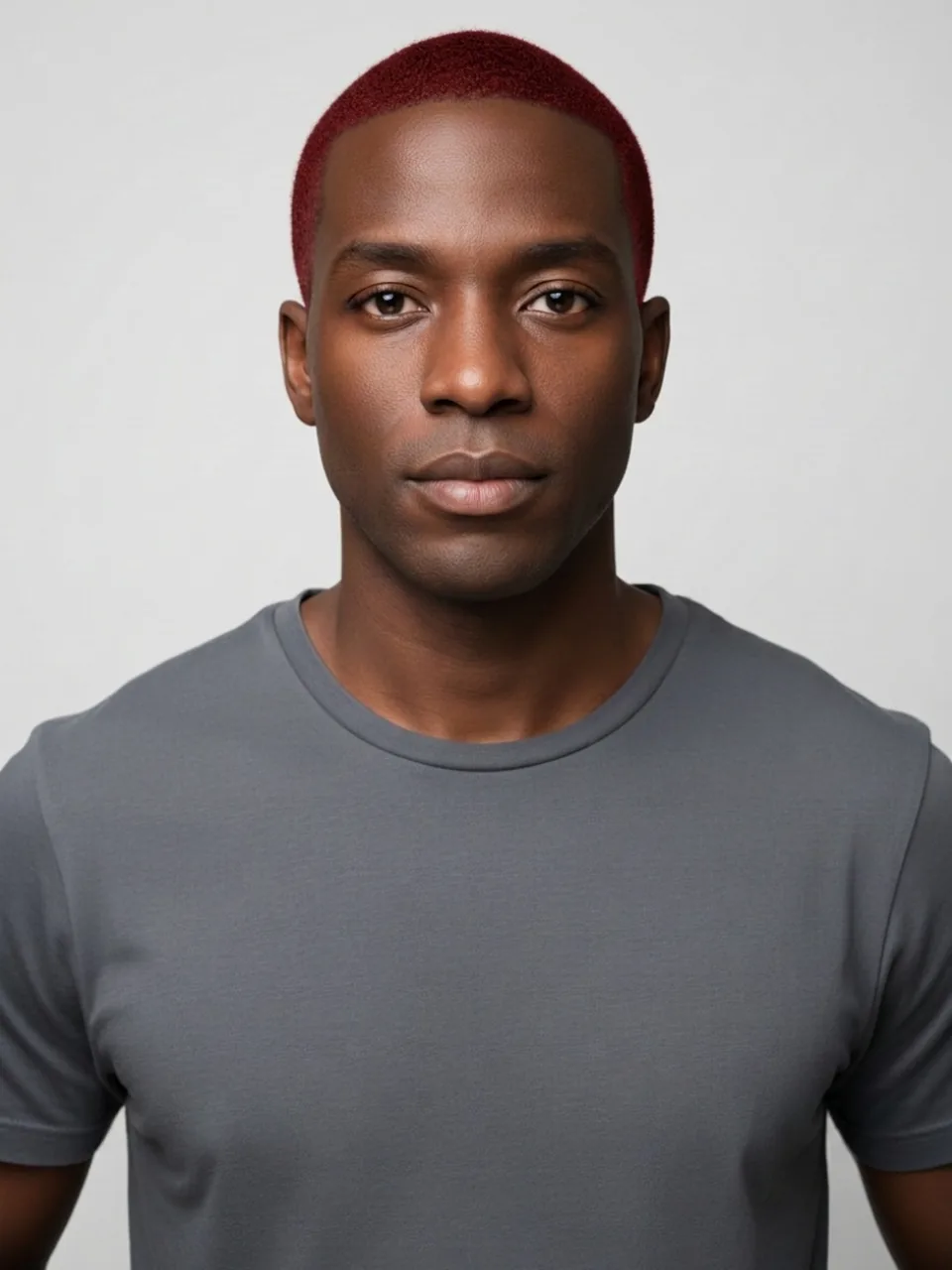
Red hair is a contrast problem wearing a color name. Copper next to warm skin can look like the hair was always headed that way. The same copper next to very cool skin can look borrowed, as if the wig and the person arrived separately. This page only does red. It is not the five-color chooser, and it is not a henna tutorial.
Copper, and the brows that stay brown
The model is google/nano-banana-2.1/edit on fal, prompted for red, vendor rate $0.0336 (Google's 1K list), which you do not pay as a cash line. We ask the hair to read as red and the length, hairline, face, clothes, and background to stay. There is no level system, no "level 6 copper" versus "level 8 auburn." The model picks a red. It might be a brown-red that only shows at the ends, or a clearer copper that reads from across a room. You see the one it chose. Another generation is a new roll, not a menu.
Eyebrows are the check. Most people who dye their hair red leave brown brows, and that is an ordinary face. We ask the face to stay. Brows that shift ginger, or lashes that pick up a red fringe, mean the edit started repainting you. Skin should not be pushed pinker to "support" the dye. What would I look like with red hair is a hair question. A new complexion is out of bounds.
Henna, box dye, and a salon gloss are different chemicals with different stains, and none of them are in this prompt. We will not tell you ratios, timing, or how to shift a too-bright red back toward brown. If the render is brighter than any red you would wear, that is a reason to ignore it, not a recipe to chase. The AI hair color changer can show you brown or another of the five on the same photo. It still will not tell you how to mix a dye.
Where red sits in the strand
Red fails in bands. The mid-lengths go orange while the roots stay your old color in a hard stripe, or the ends glow and the crown looks brown. Some of that is how real red grows out. Some of it is the model remembering a grown-out dye ad. A usable result has a red you can describe in one sentence. A striped result is the edit undecided. Do not average the stripes in your head and call it copper.
Dark hair is the harder starting point, in life and in the picture. The prompt is paint, not a bleach timetable. On hair that is already black, red may sit on top as a sheen, visible only when the strand turns toward the light, with the depth still black underneath. That sheen can be the honest limit of "red" without lifting. If you wanted a clear copper all the way through, this file may refuse you, and the refusal is closer to physics than a brighter render would be. We also ask the model not to change length to make the color easier to see. A sudden bob full of red is a cut smuggled in. Reject it.
Pink is the neighboring mistake. A red that slides into magenta has left this page's color. The Pink hair filter is where fashion pink belongs, with its own warning about dark hair showing through. Do not talk yourself into calling a magenta result "a cool red."
Light, clothes, and the fringe you may also want
Shoot near a window. Tungsten bulbs pour orange onto everything, and then you cannot tell the dye from the lamp. A green wall bounces the opposite direction and can make red look muddy. Neither wall is the model's fault, but the model will bake in whatever cast you give it. Hair down, part visible, no filter that already shifted you warmer.
Clothes that are already red or orange will vibrate against the new hair, and the model sometimes "fixes" that by recoloring the shirt. We asked the clothes to stay. A shirt that changed to blue or gray for contrast is a miss, even if the hair color is the red you meant. Backgrounds should stay too.
A fringe changes how much red sits on the forehead, which changes the face more than extra red at the back. This page will not add that fringe. The Bangs filter will, on its own pass. Judge the dye on the haircut you actually have.
The line you tick is "This is me and I am 18 or older." Adults only. Empty files, files larger than 8 MB, images with a short edge under 256 pixels, and a missing checkbox never hit the model and never cost a credit or a proof. A missing model key ends the same way.
Logged out, one watermarked preview exists for you: 800-pixel long edge, EASYFACE diagonally, noted by IP and cookie. It does not come back tomorrow, and signup credits are not a thing here. HD without the mark is 1 credit if the image succeeds. Failures refund the credit or leave the preview unspent. How to use the red hair filter is the click path. Face blur is the on-device step when the photo is not only your face.
FAQ
What would I look like with red hair if my brows are dark?
Like someone with red hair and dark brows, if the edit behaves. That combination is normal. Brows that turn ginger to match are the model decorating the face. Discard those.
Is this a henna guide?
No. There is no plant, no mix, no timing. The file is a red the model chose. For a different named color, use the chooser. Nothing on either page is a dye formula.
Why is the red only a sheen on dark hair?
Because the prompt paints color onto the hair you have. It is not a bleach plan. A clear copper that required lifting may not appear, and a render that invents that lift by also changing length is a miss.
Can the red come out orange in the middle?
Yes, and that band may be the model copying grown-out dye rather than a result you should expect from a careful colorist. If you cannot describe the red in one breath, the edit did not settle.
Will a fringe appear because red "needs" one?
No. Length and hairline stay. Bangs are a separate filter. A red bob you did not upload is a failed hold on the cut, not a styling tip. Last updated: 2026-10-08.
Last updated 2026-10-08.