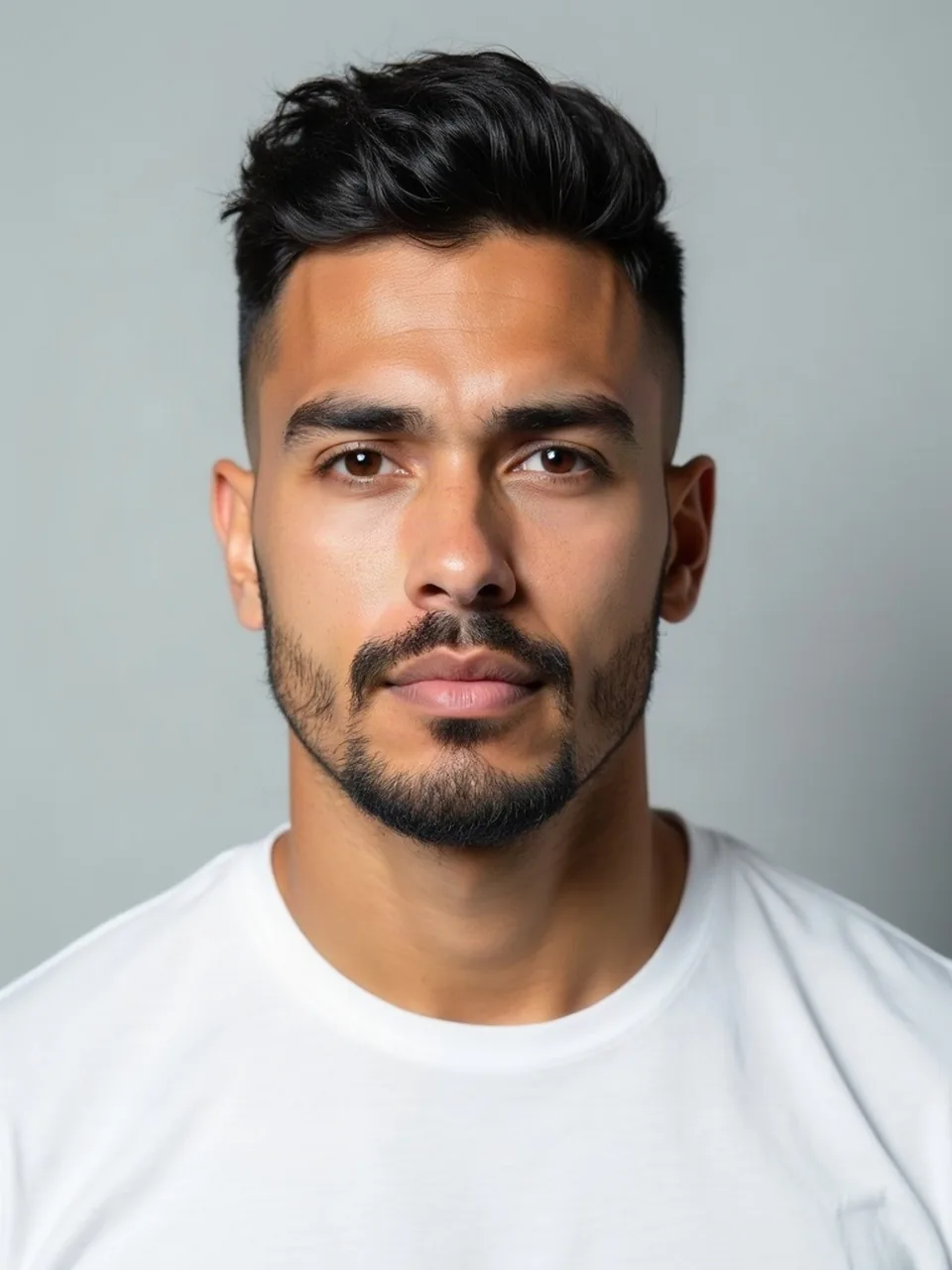
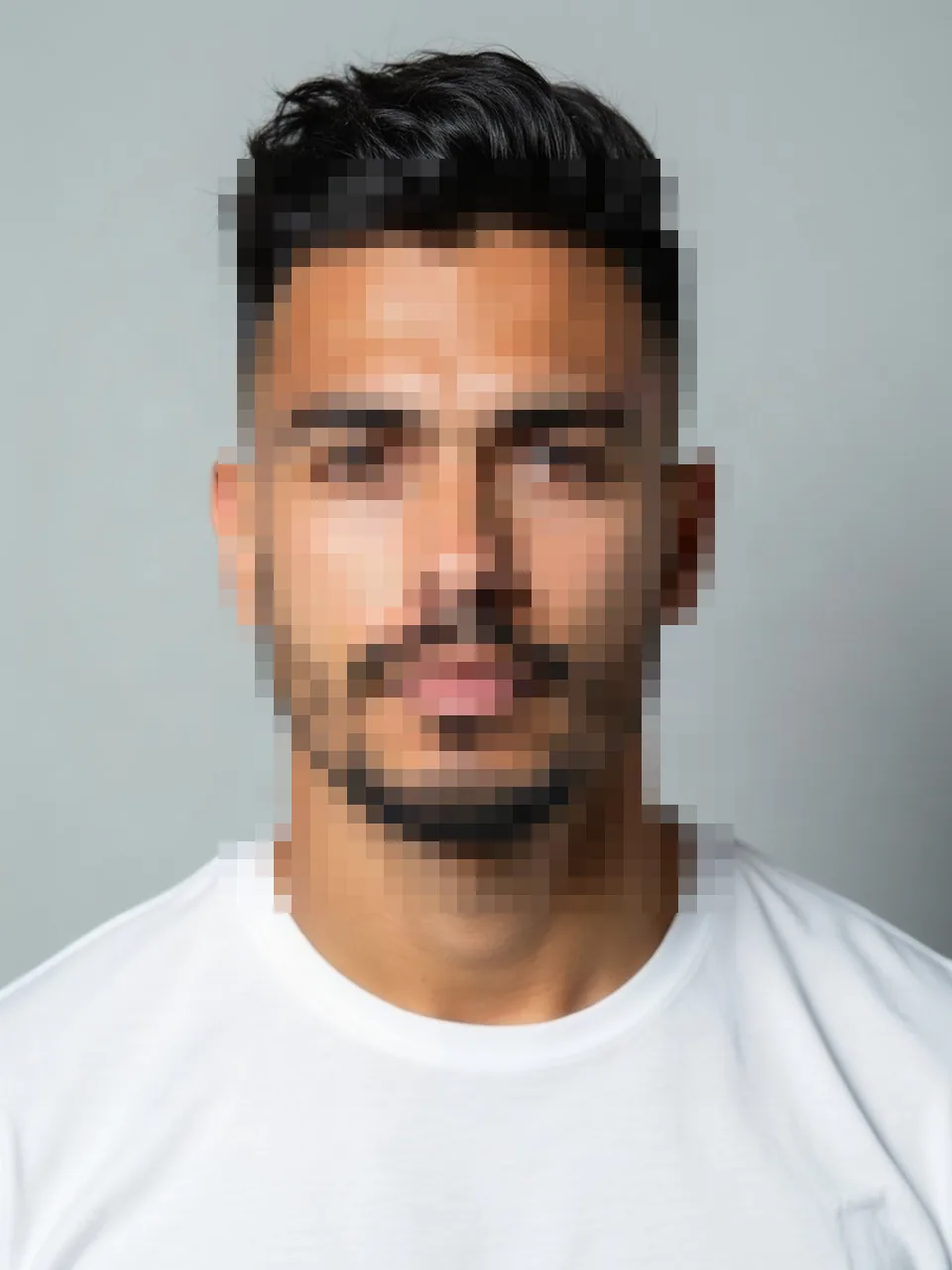
Face blur is the step before you post a look, not a look itself. It runs in the browser on a canvas. The photo is not uploaded, the model is not called, and the one free watermarked preview that looks use is left untouched. No credit moves. If you only needed a face hidden, you can stop here and never open a hairstyle.
Pixels, not a cloud call
Nothing on this page talks to fal. There is no nano-banana edit and no hair-change request. The picture stays on the device. What you download is produced from that local canvas. Closing the tab drops the working image with it. We do not keep a copy to attach a watermark to, and we do not count the visit against the logged-out look allowance, which is a different system: one 800-pixel proof with EASYFACE on a diagonal, remembered by IP and cookie, spent only when a look generation succeeds.
The blur is a blocky pixel mosaic, not a soft portrait lens and not a black bar. Blocks are honest. You can see that a face was there and that the features are gone. A gentle blur often leaves the eyes readable, which is the failure people notice after they have already posted. If you can still tell who it is, the blocks are too large in area or too fine in size. Tighten the region or strengthen the pixel size until the features fail.
When the browser has a FaceDetector, the page can propose rectangles around faces it finds. That detector is not in every browser, and it is not a promise about side faces, tiny faces in the back row, or someone looking down. Treat the proposal as a draft. When the detector is missing, or when it misses a person, you drag a rectangle yourself. Group photos usually need several boxes. One box around the crowd leaves gaps between heads, and a single box around "the main person" leaves the friend at the edge identifiable. Walk the frame. Count heads. A missed face at the margin is the one commenters recognize.
What the rectangle should cover
Cover the face from hairline to chin and out to both ears. A box that ends at the eyebrows leaves the mouth, and people are recognizable from a mouth plus a haircut. Include glasses. The frames are an identifier even when the eyes are blocks. Hair can stay visible. This tool is not a wig and not a Buzz cut filter. If you wanted to see the cut before you decide whether to post your own face at all, do the look first, on its own page, and blur other people before the image leaves your machine. Blurring yourself is also allowed. Some posts only need the hair and the room.
Hands and tattoos are not faces. The detector will ignore them, and a rectangle you meant for a face will not automatically extend to a distinctive sleeve. If the identifying thing is not a face, drag a box over that thing too. The tool will pixelate whatever rectangle you commit. It will not understand what a tattoo is.
Backgrounds stay sharp outside the boxes. That is the point. You keep the place and lose the identity. A full-frame blur would be simpler and would also throw away the photo. Do not expect the page to repaint a person out of existence. Blocks sit on top of the pixels that were already there. There is no inpainting and no "remove the tourist."
The file never takes the server trip
You open an image from the device. JPEG, PNG, and WebP are the formats the canvas path is built around. A HEIC from a phone is converted in the browser before it is drawn, still without an upload. Very large files can fail to decode locally even though no server limit is involved. If the tab struggles, export a smaller JPEG and try that. Nothing about a failure here consumes a credit, because nothing was reserved.
There is no "See this look" button, no waiting state for a model, and no watermark to remove later. The download is the blurred image as the canvas has it. Keep it, and post that file, not the original sitting next to it in your camera roll. The common mistake is to blur, admire the result, and then attach the untouched photo.
This is not a legal review of whether you may post the picture. It is a pixel tool. Faces you do not have a reason to publish, including strangers in the background of a look you do want to share, are the intended target. The category home is Photo privacy. The look index, if you are here on the way to a cut, is Hairstyles. Steps with the actual controls are in How to use face blur.
FAQ
Does face blur upload my photo?
No. The work is on a browser canvas. We do not receive the file, and we do not run an image model on it. Download stays on the device.
Does this spend the free look preview or a credit?
Neither. Looks are the system with the watermarked 800-pixel proof and the one-credit HD. Face blur does not enter that system. A failed decode costs nothing because nothing was billed.
What if my browser has no FaceDetector?
You drag the rectangles. The detector is a convenience when it exists, and it misses people. Several boxes are normal in a group, with or without the detector.
Can I blur more than one person?
Yes. Add a box per face. One loose box around a whole group leaves gaps. Check the edges of the frame before you download. Hair and glasses should not remain enough to name someone if your goal was to hide them.
Is this the same as trying a hairstyle privately?
No. A hairstyle is a model call on an uploaded adult photo of you. Blur is the local step when the picture you want to publish still contains faces you do not want to publish. Do the look and the blur as separate acts. Last updated: 2026-10-08.
Last updated 2026-10-08.