How to use the face blur
Face blur is the tool these steps use.
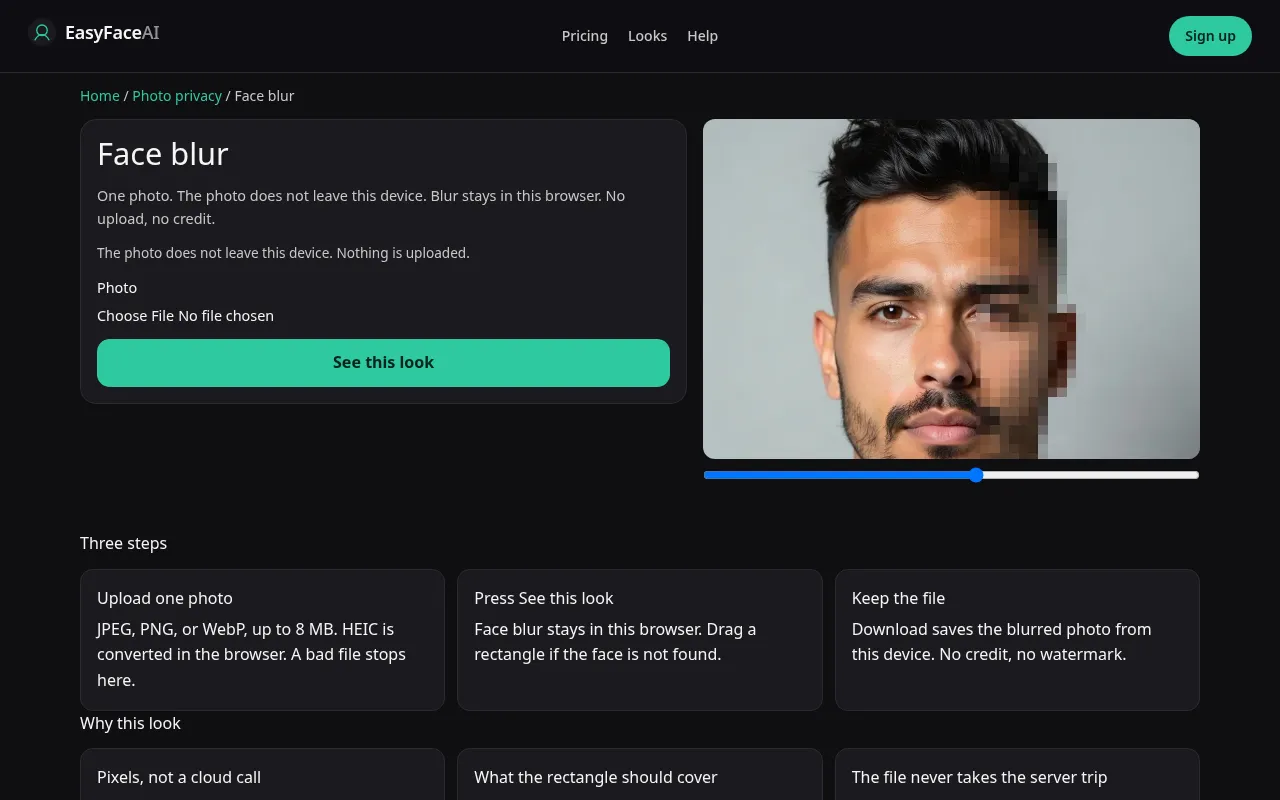
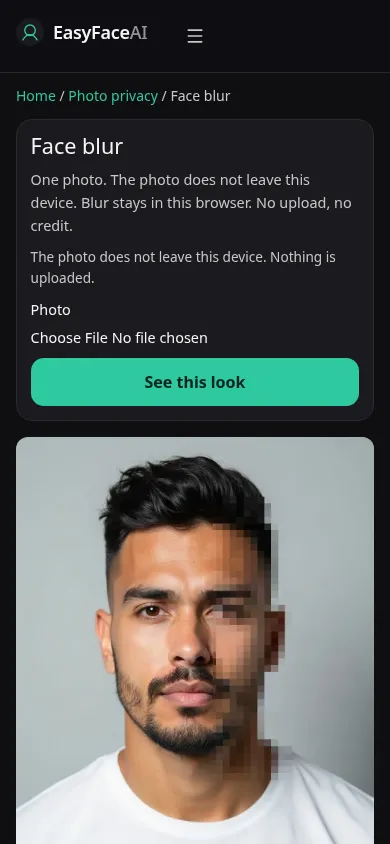
You get blocky face blur on a photo that never leaves the browser. No model runs, no credit is reserved, and the free look preview is not used. There is no watermark to buy off and no pack to open. The download is the blurred canvas, saved on the device.
Open the look
Open Face blur. The outcome is already selected.
Add your photo
Choose a photo. Face blur never uploads it and never asks for the age checkbox.
Press See this look
The button reads Waiting Ns while the image is made. A bad file stops before any charge.
Download
Download saves the blurred photo from this browser.
Open the tool
Open Face blur. You should not see See this look, Waiting Ns, or Get the HD, no watermark. Those belong to looks. If a credit price is on the screen, you opened a hairstyle or a face edit by mistake.
Check the sample
/looks/photo-privacy/face-blur/face-blur-help-desktop.webp is the desktop screenshot of the working blur tool: a local photo with pixel blocks on the faces, rectangle handles, and a download control, with no upload progress to a server. /looks/photo-privacy/face-blur/face-blur-help-mobile.webp is the same tool at 390 pixels wide, blocks and the drag handles stacked so a phone can still reach a second face. These screenshots of the interface were captured from the working page. They are not a cloud before-and-after.
Upload
The file picker reads JPEG, PNG, or WebP into the page. HEIC is converted in the browser to JPEG for the canvas, still without an upload. Nothing is posted, so the 8 MB look limit and the 256-pixel server check are not a billing gate here. A very large file can still fail to decode in the tab. Export a smaller JPEG if the canvas stays blank. That failure costs nothing because nothing was charged.
Confirm and run
There is no "This is me and I am 18 or older" step and no model confirm. If the browser has FaceDetector, it may draft rectangles. Treat them as a draft. Otherwise drag a rectangle from hairline to chin, ear to ear, glasses included. Group photos need several boxes. The blur itself is the run: pixel blocks on the regions you commit. There is no Waiting Ns status, because no job was queued.
Read the preview
There is no watermarked 800-pixel proof and no diagonal EASYFACE mark on this result. The canvas is the result. Zoom it. If you can still name the person, the blocks are too fine or the box missed the mouth. Hair can remain. A soft cinematic blur is not what this tool draws. Adding another box does not spend a look credit.
Save the HD
There is no HD paywall. Download writes the blurred image from the browser onto the device. Do not look for Get the HD, no watermark. Prices on Pricing apply to looks, not to this canvas. Nothing was generated remotely, so a failure here does not refund a credit. It also does not delete a server copy. The photo was never stored. Look retention for actual looks is described in How photos are handled. Post the downloaded blurred file, not the original still sitting in the camera roll.
When it fails
The detector misses profiles, small faces, and people looking down. Draw the missing box. A box that stops at the eyebrows leaves a recognizable mouth. If the image will not decode, it is a local memory or format problem, not a model-key failure and not a declined card. Reload from a smaller JPEG. Count heads at the edges before you trust the download. Looks you still want, such as a haircut, stay on their own pages and still follow the adult checkbox when you run them.
Last updated: 2026-10-08.