How to use the buzz cut filter
Buzz cut filter is the tool these steps use.
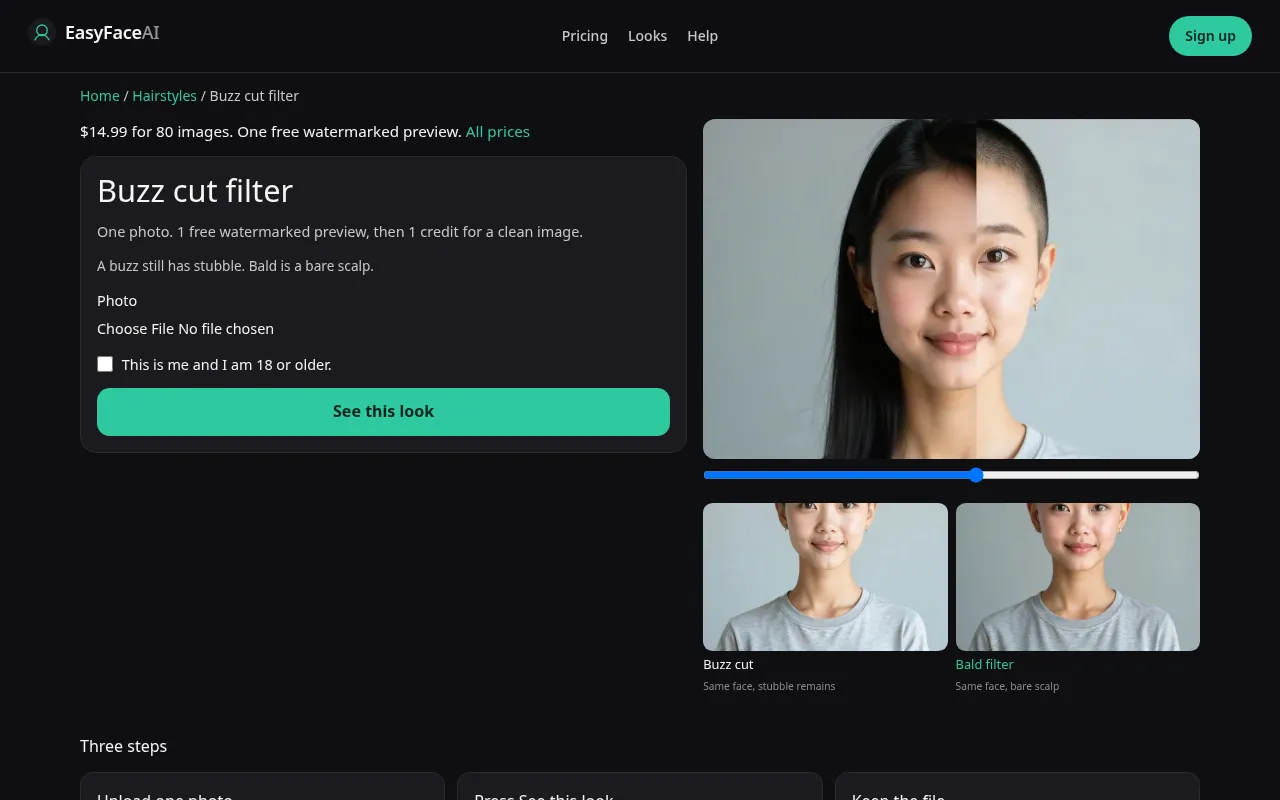
You get a buzz preview on your own adult face: clipper stubble and a hairline, not bare scalp. This article is only the click path. Guards, office glasses, and sticking-out ears are explained on the tool page.
Open the look
Open Buzz cut filter. The outcome is already selected.
Add your photo
Choose a JPEG, PNG, or WebP. Tick “This is me and I am 18 or older.”
Press See this look
The button reads Waiting Ns while the image is made. A bad file stops before any charge.
Download
Download preview saves the watermark. Get the HD, no watermark buys the clean file of this result.
Open the tool
Open the Buzz cut filter. The sample should read as short hair with pepper, not as a smooth crown. If you are on the hairstyle index, you have not opened the control yet.
Check the sample
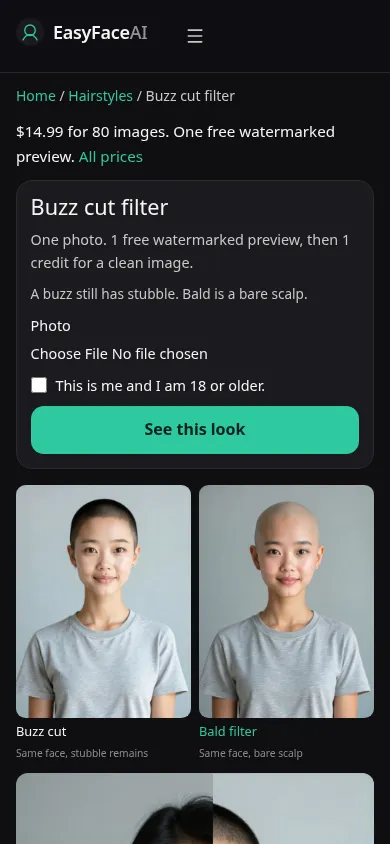
/looks/hairstyles/buzz-cut/buzz-cut-help-desktop.webp is a desktop screenshot of the working tool: sample head with an even clipper shadow, hairline visible, file control, the age checkbox, and See this look. /looks/hairstyles/buzz-cut/buzz-cut-help-mobile.webp is the same screen at 390 pixels wide, sample stacked above the picker so the forehead edge is still on screen without scrolling past the fold. Both shots are of the product UI. They are captured separately from your upload, and they are not a result we generated from you.
Upload
JPEG, PNG, or WebP. HEIC from a phone is converted in the browser to JPEG before upload. Short edge at least 256 pixels. File under 8 MB. For a buzz, include both ears and the hairline in daylight. A gym photo under a cap brim hides the only edge this cut reveals. Do not send a file that already cropped the ears if the reason you are here is those ears.
Confirm and run
Tick "This is me and I am 18 or older." The sentence is about the person in the file, who has to be you. Press See this look. The label becomes Waiting Ns while seconds accumulate, Waiting 6s or Waiting 18s, the same state. Refreshing does not choose a #1 or a #2. This control has no guard menu on the other side of the wait.
Read the preview
Logged out, the first success is the only free look: long edge 800 pixels, diagonal EASYFACE watermark, remembered by IP and cookie, not replaced the next day. Download preview stores that marked file. Judge stubble and the forehead edge before you judge anything else. A bald cap is the wrong outcome. Try another photo clears the slot for a new file and does not mint a second free success.
Save the HD
An unmarked HD image costs 1 credit. Get the HD, no watermark is the paywall button for the $14.99 pack of 80 credits. Everything else sits on Pricing. If generation fails, there is no charge: credits are refunded, and photos are deleted from private storage on the schedule in How photos are handled. Download is the HD save once that credit has produced a file.
When it fails
An empty file, a file over 8 MB, a short edge under 256 pixels, or a blank checkbox never calls the model and never spends the preview. A missing model key fails clean, also without a charge. A finished image can still be the wrong cut: sides shaved to skin, top left furry, ears slid down the head. That is a miss, not a fade you discovered. Try another photo with the hairline lit from the front.
Last updated: 2026-10-08.