How to use the bangs filter
Bangs filter is the tool these steps use.
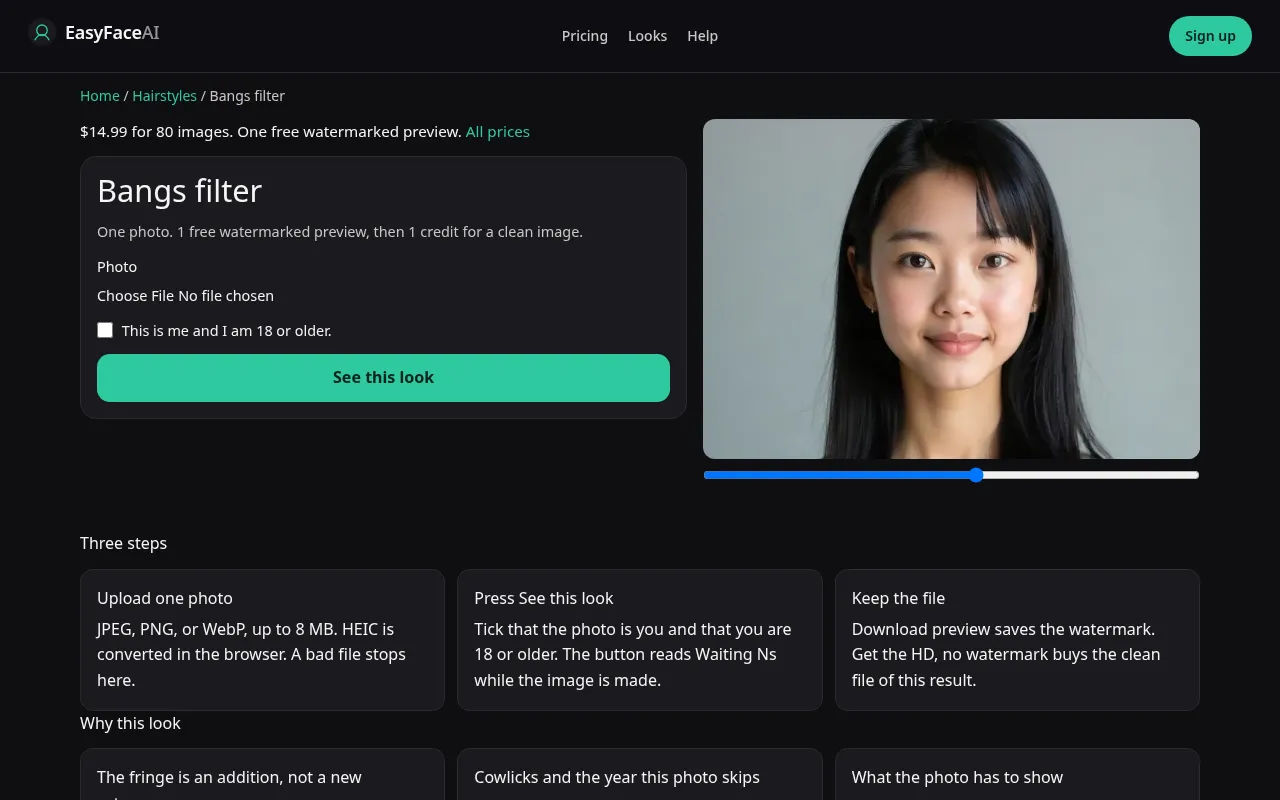
You get a fringe added to the length you already have, not a new haircut category. Full band or a split that looks like curtains is whatever the model returns. There is no second control. This page is the order of buttons.
Open the look
Open Bangs filter. The outcome is already selected.
Add your photo
Choose a JPEG, PNG, or WebP. Tick “This is me and I am 18 or older.”
Press See this look
The button reads Waiting Ns while the image is made. A bad file stops before any charge.
Download
Download preview saves the watermark. Get the HD, no watermark buys the clean file of this result.
Open the tool
Open the Bangs filter. If the sample shows a whole new silhouette, you are reading a marketing picture wrong. The working sample should be a fringe on a haircut, with the rest of the length still believable.
Check the sample
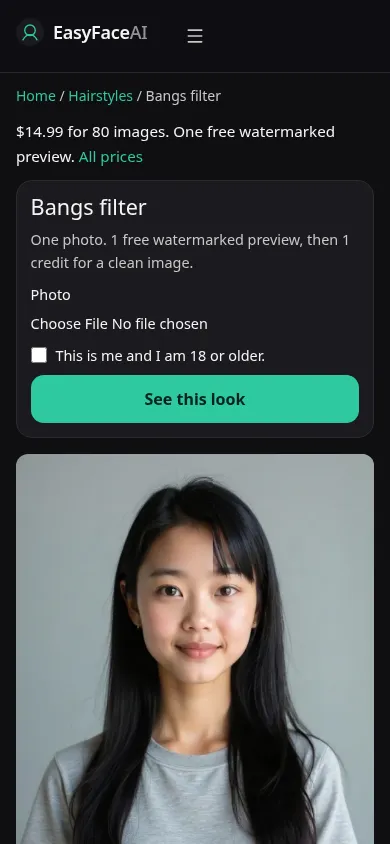
/looks/hairstyles/bangs/bangs-help-desktop.webp is the desktop screenshot: working tool, sample adult with a fringe that does not erase the brows, upload control, checkbox, See this look. /looks/hairstyles/bangs/bangs-help-mobile.webp is the 390-pixel-wide version, fringe sample on top so you can see whether the brows survive before you scroll to the picker. Both shots of the interface were captured from the working page, not a promise that your cowlick will drape like the sample.
Upload
JPEG, PNG, or WebP only. A HEIC is converted in the browser to JPEG before upload. Under 8 MB. Short edge at least 256 pixels. Pull hair off the forehead if it already covers the brows. The model needs to see the eyebrow it is supposed to approach. A deep side part combed over a thin spot often becomes the place the fringe starts. Photograph the hairline the way it falls after a shower, cowlick included, even if that feels less tidy.
Confirm and run
Mark "This is me and I am 18 or older." See this look sends the bangs edit. Waiting Ns counts elapsed seconds. It is not a progress percent. Waiting 12s can still be healthy. Do not retake the photo in another tab and submit twice hoping one of them will be curtain bangs. You will spend two generations if both succeed, and you still will not have a style switch.
Read the preview
The logged-out success is one watermarked preview for every look on the site, 800-pixel long edge, diagonal EASYFACE text, stored against IP and cookie. No daily refresh. Download preview keeps that file. Compare shoulder length to the original. A bob that replaced waist-length hair ignored the "fringe only" limit. Try another photo to load a different source. It will not restore a free preview that already succeeded.
Save the HD
1 credit buys the HD with the watermark gone. Get the HD, no watermark is the $14.99 pack button, 80 credits. The rest of the price list is Pricing. If generation fails, there is no charge: credits are refunded, and photos are deleted from private storage on the schedule in How photos are handled. Download saves the HD, not the marked proof.
When it fails
Blank checkbox, empty file, file over 8 MB, short edge under 256: no model call, no charge, free proof untouched. Missing model key: same. A completed image can still be wrong. Brows deleted, a geometric bar of identical strands, or the entire length replaced means the fringe request wandered. The grow-out months are not in the file either. The tool will not draw month five no matter how many times you press the button.
Last updated: 2026-10-08.