How to use the red hair filter
Red hair filter is the tool these steps use.
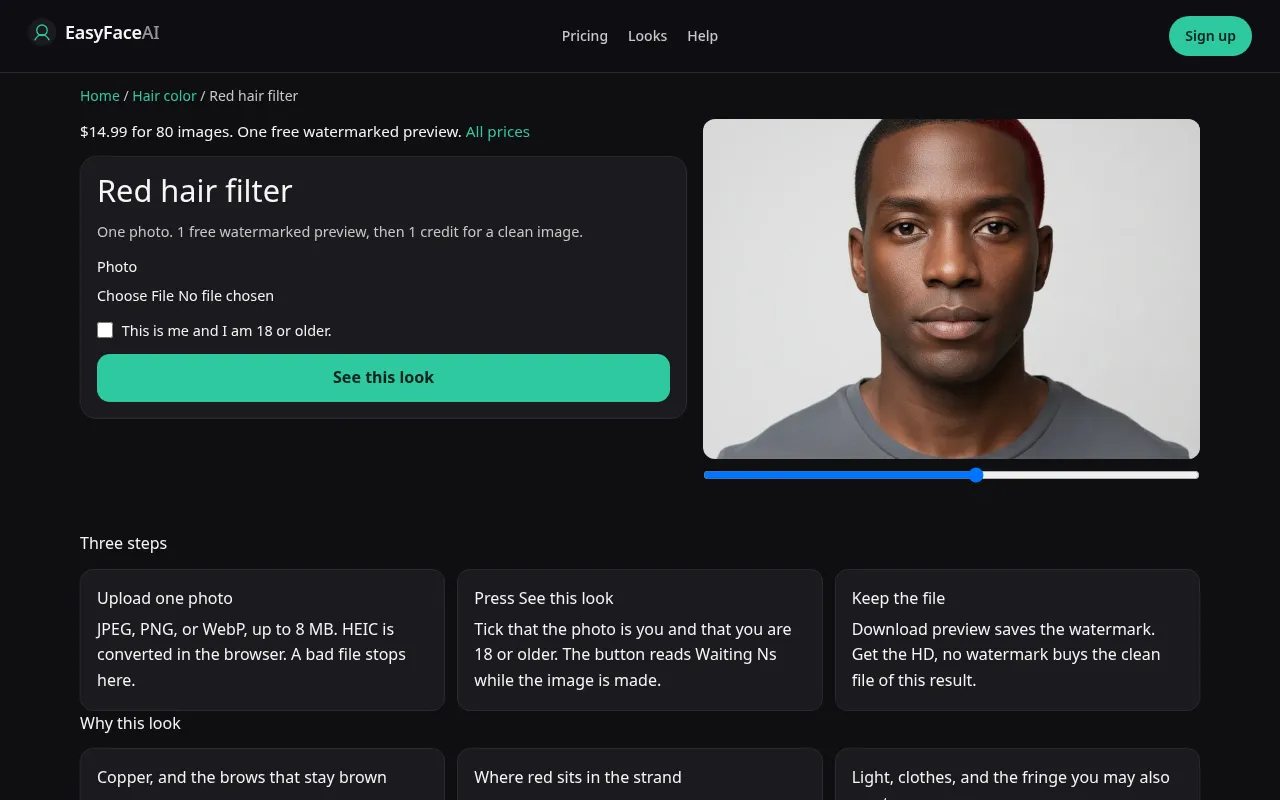
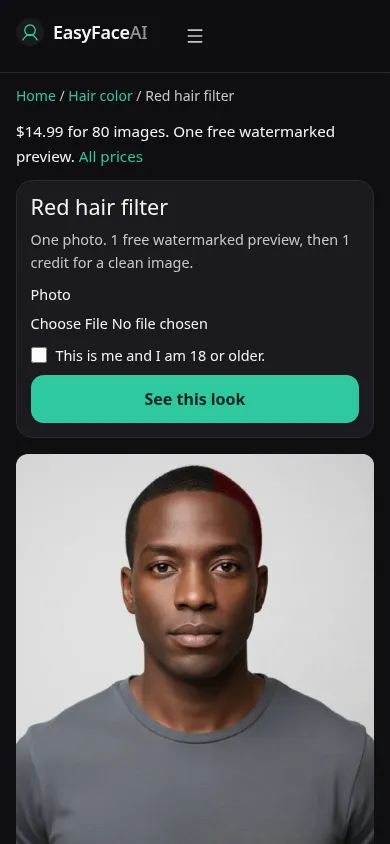
You get one red the model chooses, on your current cut. Brows should stay the color they were. Nothing in the wait is a henna timer. This article is the button order for that locked page.
Open the look
Open Red hair filter. The outcome is already selected.
Add your photo
Choose a JPEG, PNG, or WebP. Tick “This is me and I am 18 or older.”
Press See this look
The button reads Waiting Ns while the image is made. A bad file stops before any charge.
Download
Download preview saves the watermark. Get the HD, no watermark buys the clean file of this result.
Open the tool
Open the Red hair filter. Pink is a different URL. The five-color chooser is a different URL. If you can switch pigments without leaving, you are not on the locked red tool.
Check the sample
/looks/hair-color/red/red-help-desktop.webp is the desktop screenshot: working red tool, sample adult with red hair and brows that are not recolored to match, file field, checkbox, See this look. /looks/hair-color/red/red-help-mobile.webp is the 390-pixel-wide layout, sample first, so the brow contrast is visible on a phone before you upload. Both UI captures were taken from the working page. They do not encode a copper formula.
Upload
JPEG, PNG, or WebP. HEIC converts to JPEG in the browser before upload. Under 8 MB. Short edge at least 256 pixels. Avoid a green wall and avoid tungsten if you can. One casts mud, the other pours orange, and the model will bake the cast into the hair. Part visible. Dark hair should be photographed so any later sheen has a true base to sit on, rather than a pre-warmed filter.
Confirm and run
Tick "This is me and I am 18 or older." See this look runs red only. Waiting Ns counts seconds and does not publish a mix ratio. There is no bowl, no plant, and no processing window hiding behind a slow status. Wait it out once. A retry is a new roll of the same prompt, not the next step in a developer.
Read the preview
The free preview, if you are logged out, is one watermarked image for looks as a whole. Long edge 800 pixels. EASYFACE on a diagonal. IP and cookie. No daily replacement. Download preview saves it. Describe the red in one sentence. If you need three sentences because of orange bands, the edit did not settle. Brows that went ginger are a miss even when the hair is the copper you wanted. Try another photo changes the input. It does not add a free second color.
Save the HD
1 credit for HD without the watermark. Get the HD, no watermark offers the $14.99 pack of 80 credits. The other numbers are on Pricing. If generation fails, there is no charge: credits are refunded, and photos are deleted from private storage on the schedule in How photos are handled. Download is the HD save.
When it fails
Checkbox empty, file empty, file over 8 MB, short edge under 256: no call, no charge. Missing key: same. A finished magenta is the wrong color. A finished bob you did not upload is the wrong length. Sheen-only red on black hair can be the honest limit of paint. Do not retry solely to force a bleached copper. The prompt is not a lightener schedule.
One red, on your length
Red here is a dye on the length you uploaded. Auburn and copper are not two buttons, and the cut does not change. Dark brown source hair can come back a deep wine rather than a bright copper, because the edit is color, not a bleach step followed by a toner. Pink is the pink hair filter. Blonde is its own page. The hub can switch among five colors. This URL cannot. A finished bob you did not upload is a failed hold even when the dye looks right.
Last updated: 2026-10-08.