How to use the pink hair filter
Pink hair filter is the tool these steps use.
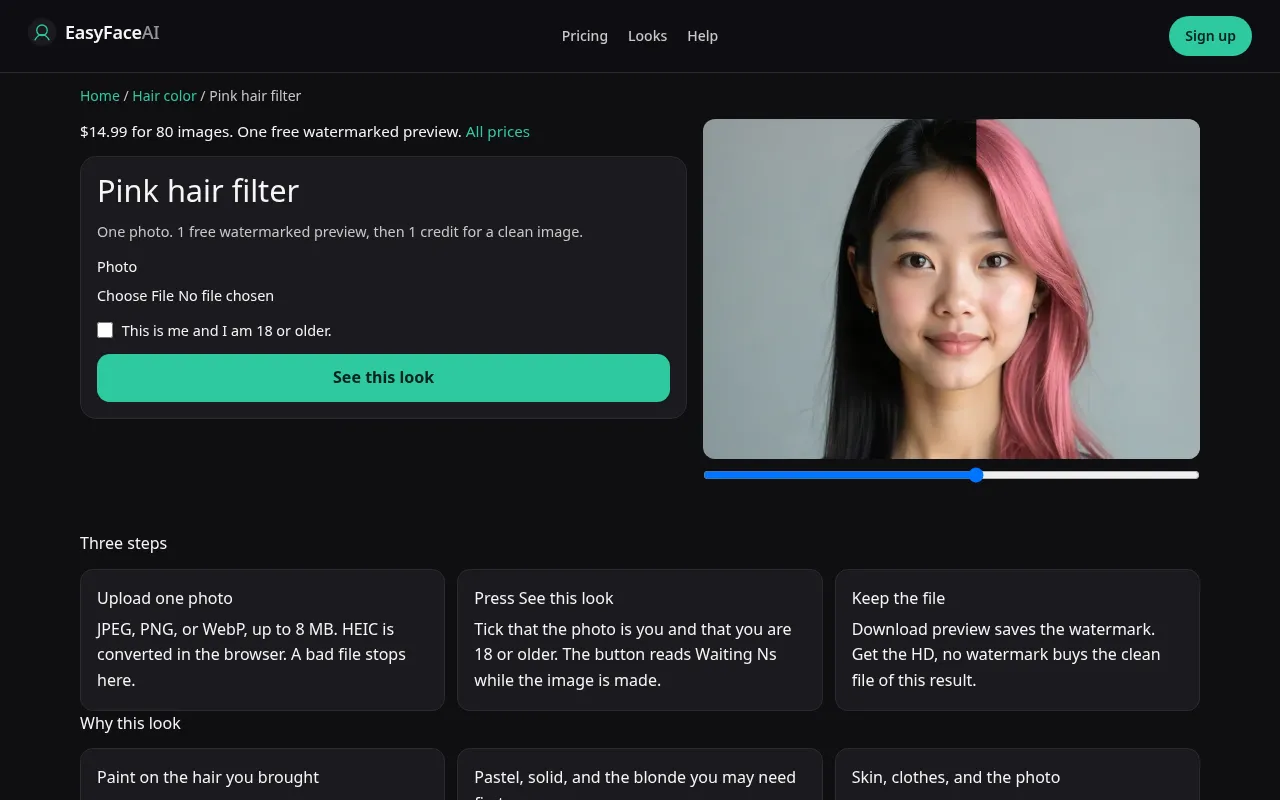
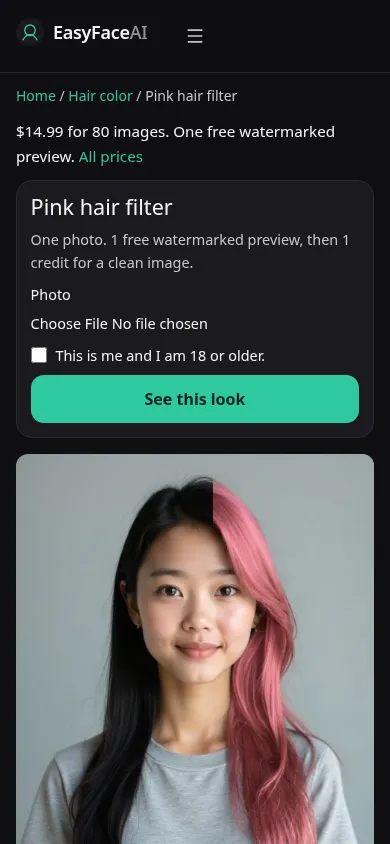
You get pink painted onto the length you already have. You do not get a bleach session, a pale base, or a shorter cut that would make pastel easier. Dark hair is allowed to show through. These steps run that paint, not a salon ticket.
Open the look
Open Pink hair filter. The outcome is already selected.
Add your photo
Choose a JPEG, PNG, or WebP. Tick “This is me and I am 18 or older.”
Press See this look
The button reads Waiting Ns while the image is made. A bad file stops before any charge.
Download
Download preview saves the watermark. Get the HD, no watermark buys the clean file of this result.
Open the tool
Open the Pink hair filter. The five-color chooser does not include this chip. Blonde is a separate question about going light. If the screen offers platinum, you left the pink tool.
Check the sample
/looks/hair-color/pink/pink-help-desktop.webp shows the working pink tool at desktop size: sample adult, pink sitting on existing length, upload, checkbox, See this look, no bleach control. /looks/hair-color/pink/pink-help-mobile.webp is 390 pixels wide, sample on top so you can see whether the sample pink is solid or streaked before you add a file. These screenshots of the interface were captured from the working page. The sample is not your base color.
Upload
JPEG, PNG, or WebP. HEIC is converted in the browser to JPEG before upload. Under 8 MB. Short edge at least 256 pixels. Hair down, roots visible, background that is not already pink. A magenta wall makes any result look more successful. If the hair is dark, keep the crown in the light so show-through has a chance to be visible instead of crushed to black by a bad exposure.
Confirm and run
Check "This is me and I am 18 or older." See this look sends the pink prompt with length held. Waiting Ns is seconds, not lift time. A longer wait does not mean the model decided to bleach realistically. We asked it not to. Do not cancel because the status feels too quick to have "processed" dark hair. Speed is not a chemical reading.
Read the preview
Logged out, one watermarked proof covers every look: 800-pixel long edge, diagonal EASYFACE watermark, IP and cookie, no refill tomorrow. Download preview keeps the marked file. Prefer a muddy pink that keeps your depth over a marker-flat helmet that also changed your ends. Repeating dashes are a fake streak. Try another photo if the wall color contaminated the source. Success already spent the free proof. The button will not issue another.
Save the HD
HD without the watermark is 1 credit. Get the HD, no watermark is the paywall for the $14.99 pack of 80 credits. Other prices are on Pricing. If generation fails, there is no charge: credits are refunded, and photos are deleted from private storage on the schedule in How photos are handled. Download writes the HD, not the preview.
When it fails
Rejected files and a missing checkbox never call the model and never charge. A missing key fails unpaid. If pink arrives by growing a wig and erasing the hairline, discard the file even though it looks more "dyed." Baby hairs outlined in a new pink edge are a redraw. Retry from a daylight photo on a neutral wall, and do not expect the retry to insert a bleach you were not charged for in the first place.
Last updated: 2026-10-08.