How to use the smile filter
Smile filter is the tool these steps use.
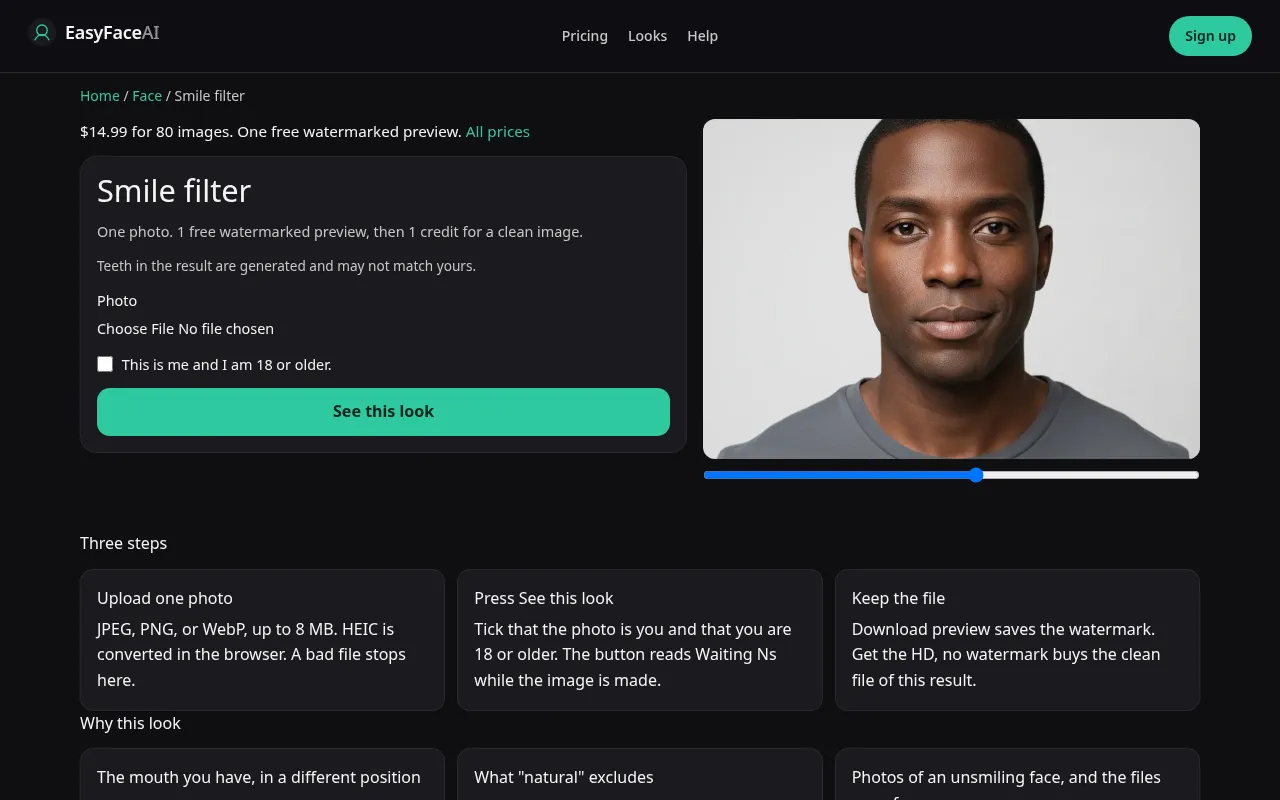
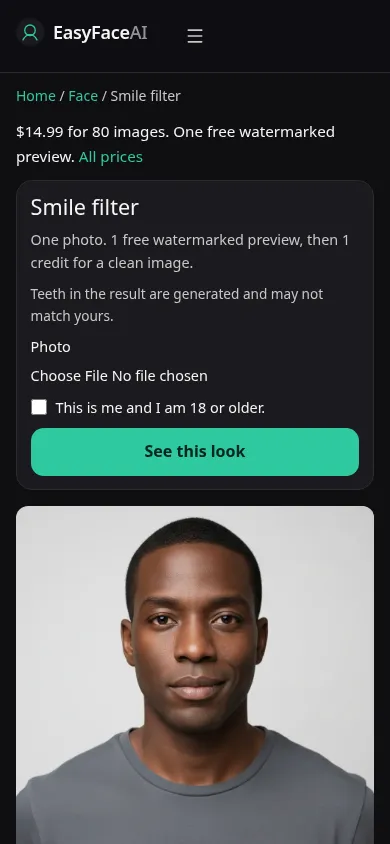
You get a natural smile: mouth and the expression around it, identity asked to stay. Teeth may be invented. A closed mouth can happen and cannot be forced. This is the click path, not a dental preview.
Open the look
Open Smile filter. The outcome is already selected.
Add your photo
Choose a JPEG, PNG, or WebP. Tick “This is me and I am 18 or older.”
Press See this look
The button reads Waiting Ns while the image is made. A bad file stops before any charge.
Download
Download preview saves the watermark. Get the HD, no watermark buys the clean file of this result.
Open the tool
Open the Smile filter. Aging and eye color are separate. A sample with a brand-new jawline is a bad sample. The working page should look like a mouth change.
Check the sample
/looks/face/smile/smile-help-desktop.webp shows the working smile tool on desktop: sample adult, corners lifted, teeth either modest or absent, upload, checkbox, See this look. /looks/face/smile/smile-help-mobile.webp is the 390-pixel-wide stack, sample mouth visible without cropping the eyes, because the lower lid is half the check. These screenshots of the UI were captured from the working page. The sample's tooth line is not yours.
Upload
JPEG, PNG, or WebP. HEIC is converted in the browser to JPEG before upload. Under 8 MB. Short edge at least 256 pixels. Neutral mouth, in focus, no hand on the chin. If you are already smiling, the edit may stack another smile and stretch the lips. Glasses can stay. A beauty mode that has already lifted the cheeks leaves the tool nothing honest to move.
Confirm and run
Check "This is me and I am 18 or older." See this look asks for natural, not "show every tooth." Waiting Ns is a second counter. It will not switch to a closed-mouth contract halfway through. One wait, one expression. Do not fire a second run until you have seen whether the first kept your asymmetry.
Read the preview
One free watermarked preview when logged out, site-wide for looks: long edge 800 pixels, diagonal EASYFACE watermark, IP and cookie, no daily refresh. Download preview saves it. Cover the mouth and check the ear and the jaw angle. A new chin is sculpture. A perfectly even white arc is a dental invention. A closed mouth is a valid natural result, not an error. Try another photo from a neutral frame if the first was already grinning. It does not replace a spent free proof.
Save the HD
The clean HD costs 1 credit. Get the HD, no watermark is the $14.99 pack of 80 credits. Other prices sit on Pricing. If generation fails, there is no charge: credits are refunded, and photos are deleted from private storage on the schedule in How photos are handled. Download is the HD action.
When it fails
Rejected files and a missing checkbox never reach the model. No charge. Missing key: unpaid clean failure. If the image returns with crow's feet erased and a poster grin, the smile was used as an excuse to retouch. If the head tilt changed, the pose hold failed. Retry from a still, neutral photo. Do not chase symmetry. Your uneven corner is not the defect.
What a smile page will not change
The mouth moves. Teeth that were outside the frame are not invented into a full dental arc, and the cheeks are not lifted into a different person. A closed source mouth becomes a mild open smile, not a laugh. A source that is already smiling can change very little. There is no control here to remove a smile. Age and iris color are other pages and will not run from this button. If the jaw moved, treat the file as a miss and open eye color only when the iris is the job you actually wanted.
Last updated: 2026-10-08.