How to use the ai age filter
AI age filter is the tool these steps use.
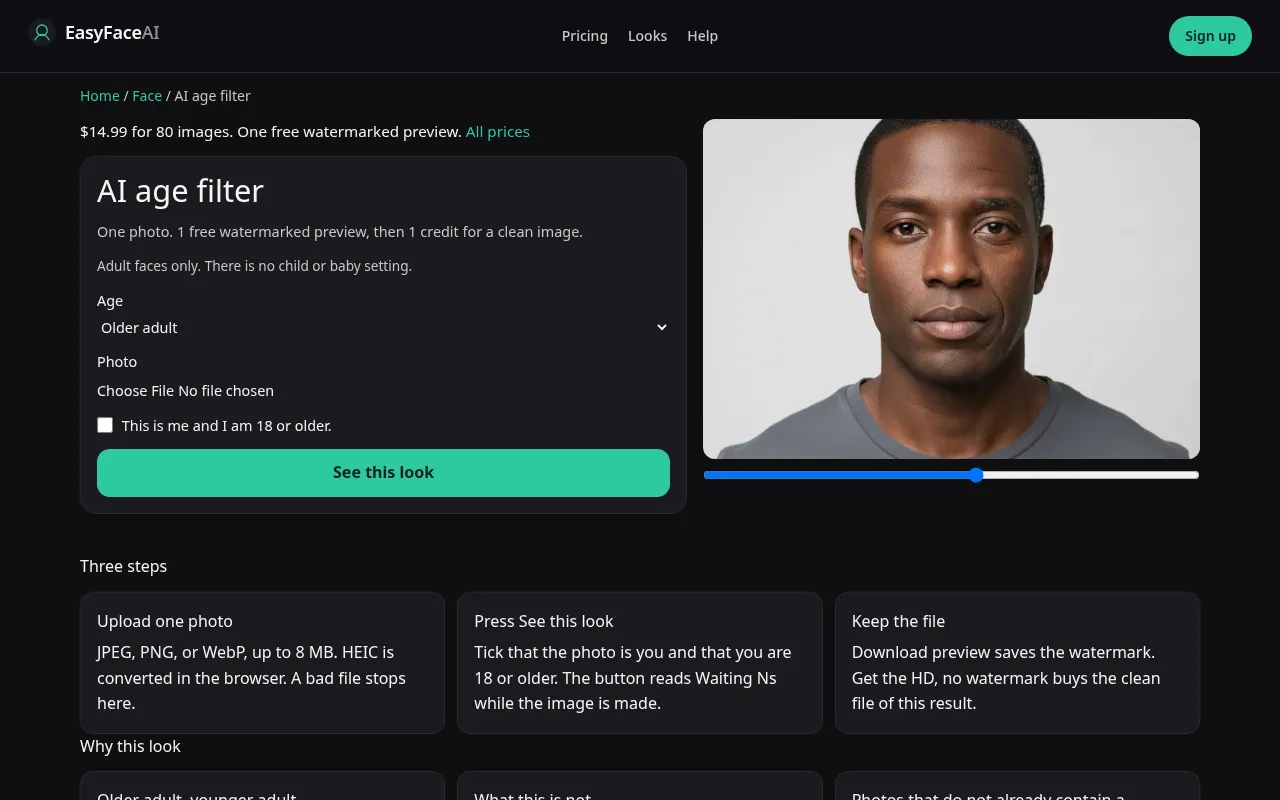
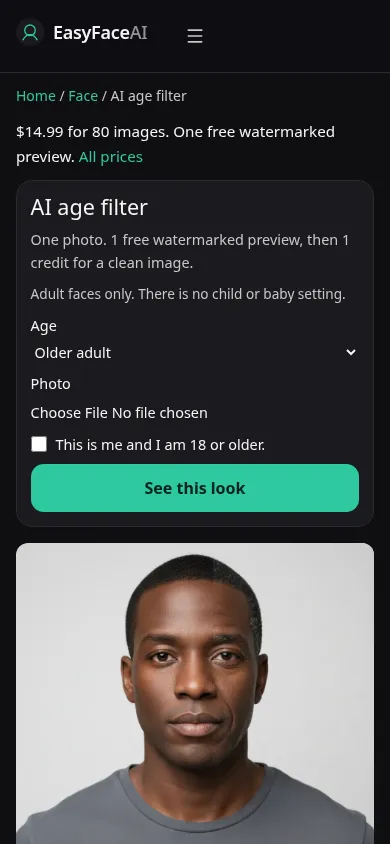
You get an older adult or a younger adult, still you, still an adult. No baby, no child, no year you can type. Hair going gray is the shortcut we ask the model not to use as the whole answer. This article is how the two directions are run, and how to recognize a childlike miss.
Open the look
Open AI age filter. The outcome is already selected.
Add your photo
Choose a JPEG, PNG, or WebP. Tick “This is me and I am 18 or older.”
Press See this look
The button reads Waiting Ns while the image is made. A bad file stops before any charge.
Download
Download preview saves the watermark. Get the HD, no watermark buys the clean file of this result.
Open the tool
Open the Age filter. It is not an age check and not a document scan. The smile filter moves the mouth. The fat filter changes fullness. Stay here only for the older or younger adult step.
Check the sample
/looks/face/age/age-help-desktop.webp is the desktop screenshot of the working age tool: two adult directions, sample faces that stay adult, upload, checkbox, See this look. /looks/face/age/age-help-mobile.webp is 390 pixels wide, both directions visible so a phone layout does not look like a kids' mode. These pictures of the tool were captured from the working page. There is no birthday field in either shot.
Upload
JPEG, PNG, or WebP. HEIC converts in the browser to JPEG before upload. Under 8 MB. Short edge at least 256 pixels. Neutral expression, no beauty mode, hat off so the hairline can be audited. Include the neck. A crop at the chin ages the face and leaves a young neck, which is a mask. Daylight. Lines you want an older pass to build on have to exist in the file, not be pre-deleted by a camera filter.
Confirm and run
Pick older or younger. Tick "This is me and I am 18 or older." See this look sends that direction. Waiting Ns counts seconds. It is not a medical clock catching up to a target age. There is no target age. Do not keep resubmitting until the face breaks so that "something happened." A small step is an allowed result.
Read the preview
Logged-out success spends the single free look preview: 800-pixel long edge, EASYFACE on a diagonal, IP and cookie, no next-day refill, no signup credits. Download preview saves the watermarked file. If the only change is gray hair, the shortcut won. If the face looks childlike, discard it. That boundary is not a style. Try another photo for a cleaner source. It will not mint a free child image, and it will not restore a proof already used.
Save the HD
1 credit buys HD without the watermark. Get the HD, no watermark is the $14.99 pack of 80 credits. The other prices are on Pricing. If generation fails, there is no charge: credits are refunded, and photos are deleted from private storage on the schedule in How photos are handled. Download saves the HD.
When it fails
Empty, huge, tiny, or unchecked files never call the model and never charge. A missing key fails clean. A finished poreless oval, a new nose, or a bald crown substituted for wrinkles means the brief slipped. Do not download a childlike face and call it younger. Retry once from an unretouched adult photo with the neck in frame, and stop if identity leaves.
The adult boundary
Older or younger, and still an adult. This page does not produce a child, and it does not take a number of years. Wrinkles, a softer jaw, or a slightly different hairline are the usual tells. The same person should still be readable. A smile is not part of the request, and skin tone is not part of the request. If the result looks like someone else, stop. Another photo of the same adult is the retry, not a second free preview, and not the smile filter.
Last updated: 2026-10-08.