How to use the skin color changer
Skin color changer is the tool these steps use.
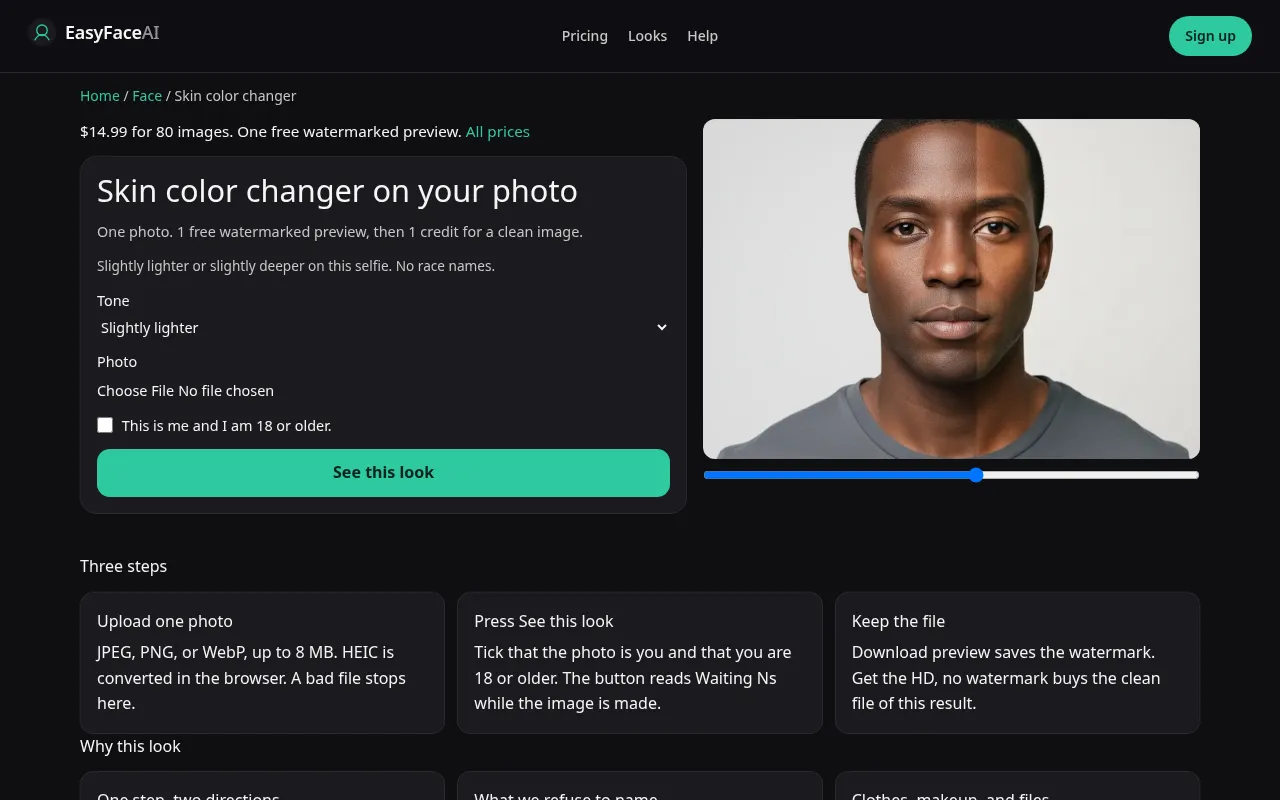
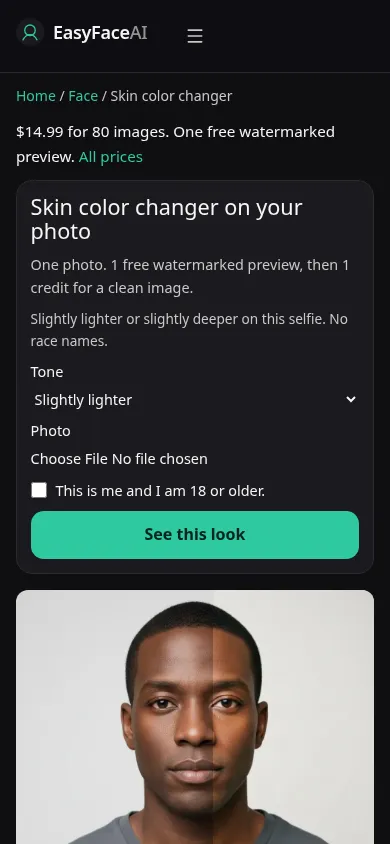
You get one small step, slightly lighter or slightly deeper, on your own adult skin. Neck and hands should move with the face. The page does not name a race or an ethnicity, and these steps will not add that kind of label. If the person could be someone else, the run went too far.
Open the look
Open Skin color changer. The outcome is already selected.
Add your photo
Choose a JPEG, PNG, or WebP. Tick “This is me and I am 18 or older.”
Press See this look
The button reads Waiting Ns while the image is made. A bad file stops before any charge.
Download
Download preview saves the watermark. Get the HD, no watermark buys the clean file of this result.
Open the tool
Open the Skin color changer. Eye color is a different tool. A smile is a different tool. This screen should offer two directions, not a catalog of identities.
Check the sample
/looks/face/skin-color/skin-color-help-desktop.webp shows the working skin tool at desktop width: two directions, a sample adult with neck visible so a face-only mask would be obvious, upload, checkbox, See this look. /looks/face/skin-color/skin-color-help-mobile.webp is the 390-pixel-wide stack, direction controls and sample neck on screen together. Both screenshots of the interface were captured from the working page. They are not named shades.
Upload
JPEG, PNG, or WebP. HEIC converts in the browser to JPEG before upload. Under 8 MB. Short edge at least 256 pixels. Use the light you actually care about, without a camera filter that already shifted you. Include neck and, if you can, a hand. Foundation that stops at the jaw teaches the wrong boundary. A bright shirt can bounce color onto the chin. A neutral shirt makes the step easier to see. We still ask the shirt not to change.
Confirm and run
Choose lighter or deeper, then tick "This is me and I am 18 or older." See this look sends that one step. Waiting Ns is seconds, not a larger dose being applied because you waited. There is no stronger setting loading in the background. Do not queue both directions at once unless you mean to spend two runs. The free proof can cover only one success.
Read the preview
One watermarked preview if you are logged out, for every look on the site: long edge 800 pixels, diagonal EASYFACE watermark, IP and cookie, no morning reset. Download preview saves it. Compare face, ear, neck, and hand. A sharp line at the jaw is a mask. Freckles or a scar that vanished were smoothed away, which was not the request. Try another photo if the original white balance was wild. It does not create a second free success.
Save the HD
HD without the watermark costs 1 credit. Get the HD, no watermark is the $14.99 pack of 80 credits. The other prices are on Pricing. If generation fails, there is no charge: credits are refunded, and photos are deleted from private storage on the schedule in How photos are handled. Download is for the HD file.
When it fails
Bad files and a missing checkbox never call the model. No charge. A missing key fails unpaid. A finished image that changes bone structure, hair texture, or eye shape left the brief even if the tone is pretty. Discard it. Do not describe the result with an ethnic label the product refuses to use. Retry one step from a photo that shows neck and hands.
Last updated: 2026-10-08.