How to use the eye color changer
Eye color changer is the tool these steps use.
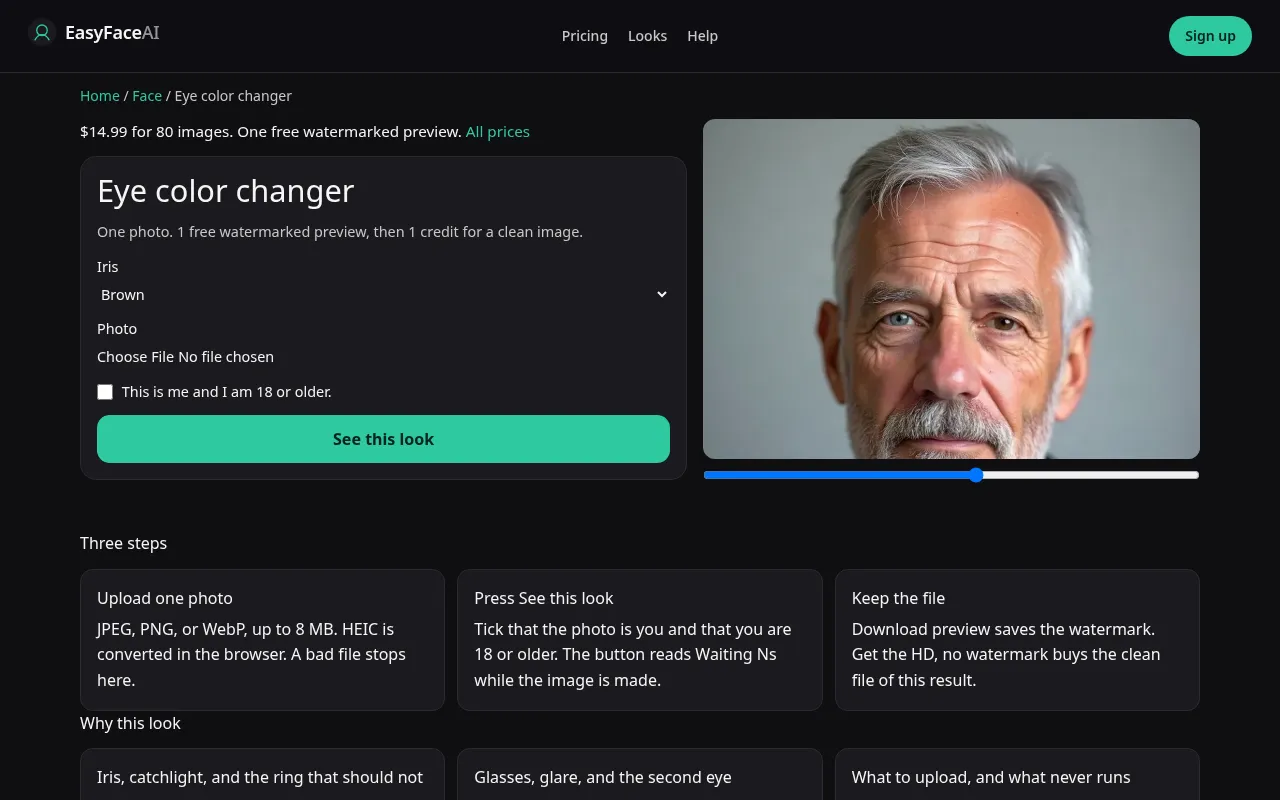
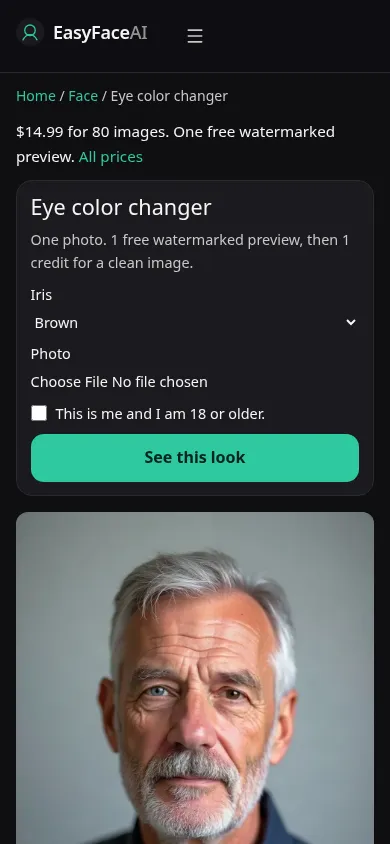
You get an iris recolor. The white of the eye, the skin, and the hair are supposed to stay. Catchlights should still look like a lamp in the room. This article is the sequence, including what to do when glasses glare has already hidden the pupil.
Open the look
Open Eye color changer. The outcome is already selected.
Add your photo
Choose a JPEG, PNG, or WebP. Tick “This is me and I am 18 or older.”
Press See this look
The button reads Waiting Ns while the image is made. A bad file stops before any charge.
Download
Download preview saves the watermark. Get the HD, no watermark buys the clean file of this result.
Open the tool
Open the Eye color changer. Skin tone is not adjusted here. If the page is offering a lighter-or-deeper face step, go back. You want the iris tool.
Check the sample
/looks/face/eye-color/eye-color-help-desktop.webp is the desktop screenshot of the working eye tool: sample adult, iris changed, sclera still white, catchlight intact, upload, checkbox, See this look. /looks/face/eye-color/eye-color-help-mobile.webp is 390 pixels wide, sample eyes large enough to read before you scroll to the picker. These UI shots were captured from the working page. They are not a contact-lens fitting.
Upload
JPEG, PNG, or WebP. HEIC becomes JPEG in the browser before upload. Under 8 MB. Short edge at least 256 pixels, and the eyes themselves need enough pixels to judge. Both eyes and the nose in frame. Move the lamp out of spectacle lenses. A whiteout over one pupil makes the model invent that iris. Take colored contacts out if you want the shift from your own eye rather than from a tint already in the photo. Sunglasses are not a source.
Confirm and run
Tick "This is me and I am 18 or older." See this look runs the iris prompt. Waiting Ns counts seconds. It is not painting the second eye more carefully if the number gets large. Wait for both eyes in one result. Submitting a crop of a single eye beside a full-face run only gives you two files to reconcile.
Read the preview
The logged-out free preview is one across looks: 800-pixel long edge, EASYFACE diagonally, tracked by IP and cookie, not refilled daily. Download preview saves the marked file. Zoom the sclera. A colored halo or a gray corner is spill. Mismatched windows in the two eyes mean the catchlights were redrawn. Try another photo without the glare. A success has already used the free proof.
Save the HD
1 credit, watermark removed. Get the HD, no watermark points to the $14.99 pack of 80 credits. Other prices are on Pricing. If generation fails, there is no charge: credits are refunded, and photos are deleted from private storage on the schedule in How photos are handled. Download saves the HD, distinct from Download preview.
When it fails
Empty, oversized, undersized, or unchecked uploads never call the model and never charge. A missing key fails clean. A finished file can still be wrong: flat discs, a new smile, hair that shifted color to "match." Discard the whole pass. Retry with both eyes unobstructed. Do not crop to one eye just to make the iris larger. You lose the audit.
What stays put
The edit is the iris. The whites, the eyelid crease, and the glasses stay. This page has no named color menu. Contacts you already wear can blur the edge of the iris, and a frame that crosses the eye hides the boundary you need to judge. Take the glasses off for a clearer read if you can. Skin tone and a smile do not change from this button. A fuller build is the fat filter, and it will not recolor an iris as a side effect you can request from here.
Last updated: 2026-10-08.