How to use the perm filter
Perm filter is the tool these steps use.
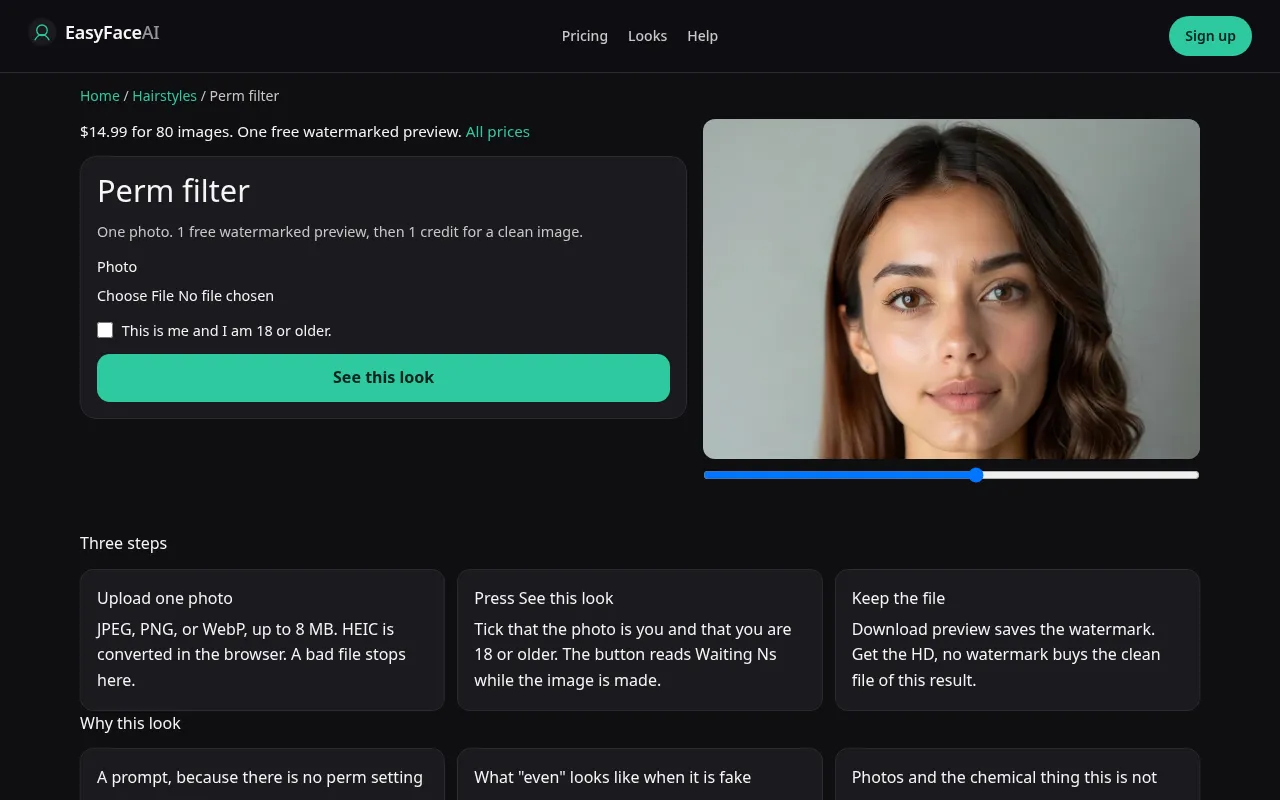
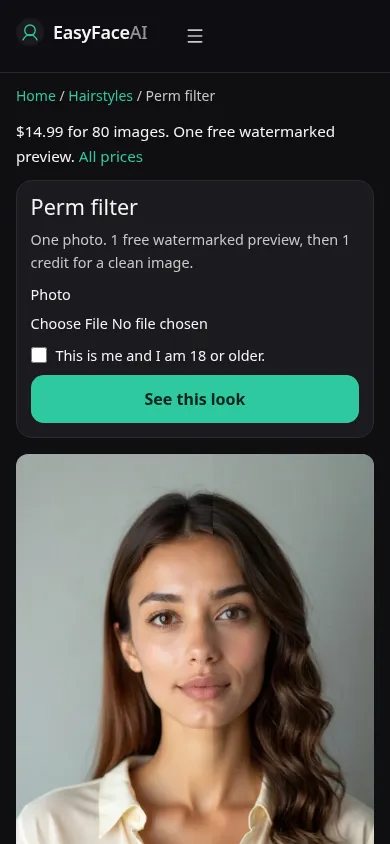
You get regular roller-set waves, not the curly-hair control. Approximate length should remain. This is the click order when you want that S pattern.
Open the look
Open Perm filter. The outcome is already selected.
Add your photo
Choose a JPEG, PNG, or WebP, then press Generate.
Press Generate
The button counts the seconds while the image is made. A bad file stops before any charge. Press it again if the run fails. Nothing was charged.
Download
Download saves the full-size image. There is no watermark.
Open the tool
Open the Perm filter. If the page is the curly-hair tool, you have the wrong article. This one asks for roller-set waves. There is no rod menu after you land.
Check the sample
/looks/hairstyles/perm/perm-help-desktop.webp is the desktop screenshot of the working perm tool: sample adult with repeating S-waves, face and clothes still ordinary, file picker, checkbox, and the preview control. /looks/hairstyles/perm/perm-help-mobile.webp is the 390-pixel-wide stack, waves visible in the sample before you reach the upload. These shots of the interface were captured from the working page. They are not a chemical prediction and not a "before" from your camera roll.
Upload
JPEG, PNG, or WebP. The browser turns HEIC into JPEG before upload. Under 8 MB. Short edge 256 pixels or greater. Dry hair, worn as you leave the house, ends in frame. A wet comb-down hides any wave you already have and invites a second pattern on top of a slick shape. A bun hides the ends, which is where rod size would show. This photo still will not tell you whether bleached hair can survive a real perm.
Confirm and run
Free preview starts the edit. the wait counts seconds. It is not processing solution sitting on a head. There is no timing advice hidden in a longer wait. Do not leave for a second tool and expect this status to choose curly versus roller for you.
Read the preview
One free result if you are logged out, full size, with no watermark. Download saves that marked file. If the waves are loose curls, open the curly result on the same photo before you call this a perm. Stamp-identical chrome ripples are the other failure, and they can arrive inside an otherwise "successful" preview. Try another photo swaps the source. It does not replenish the free proof.
Save the HD
After that, each image is 6 credits. The $9 pack is 120 credits. Remaining prices are on Pricing. If generation fails, there is no charge: credits are refunded, and photos are deleted from private storage on the schedule in How photos are handled. Download refers to the HD file after the credit clears.
When it fails
Empty files, files over 8 MB, short edges under 256 pixels, and a skipped checkbox never call the model. No charge. A missing key fails clean. A finished file that grows a ponytail or cuts a bob broke the length request even though the waves are pretty. Discard it. Retry does not add a formula, a neutralizer, or a breakage warning. The prompt cannot smell damaged hair.
Why this is not the curly page
These are roller-set waves, regular and close to the head. The curly hair filter draws genetic curl, not this roller set. Length stays near what you uploaded. A perm does not grow a bob into waist-length hair. If the source is already tightly curled, the change can be a softer set rather than a new curl pattern. Loose ringlets mean you are looking at the wrong result.
If other people are in the frame, blur their faces before you post. The blur runs in the browser and does not spend this look.