How to use the blonde hair filter
Blonde hair filter is the tool these steps use.
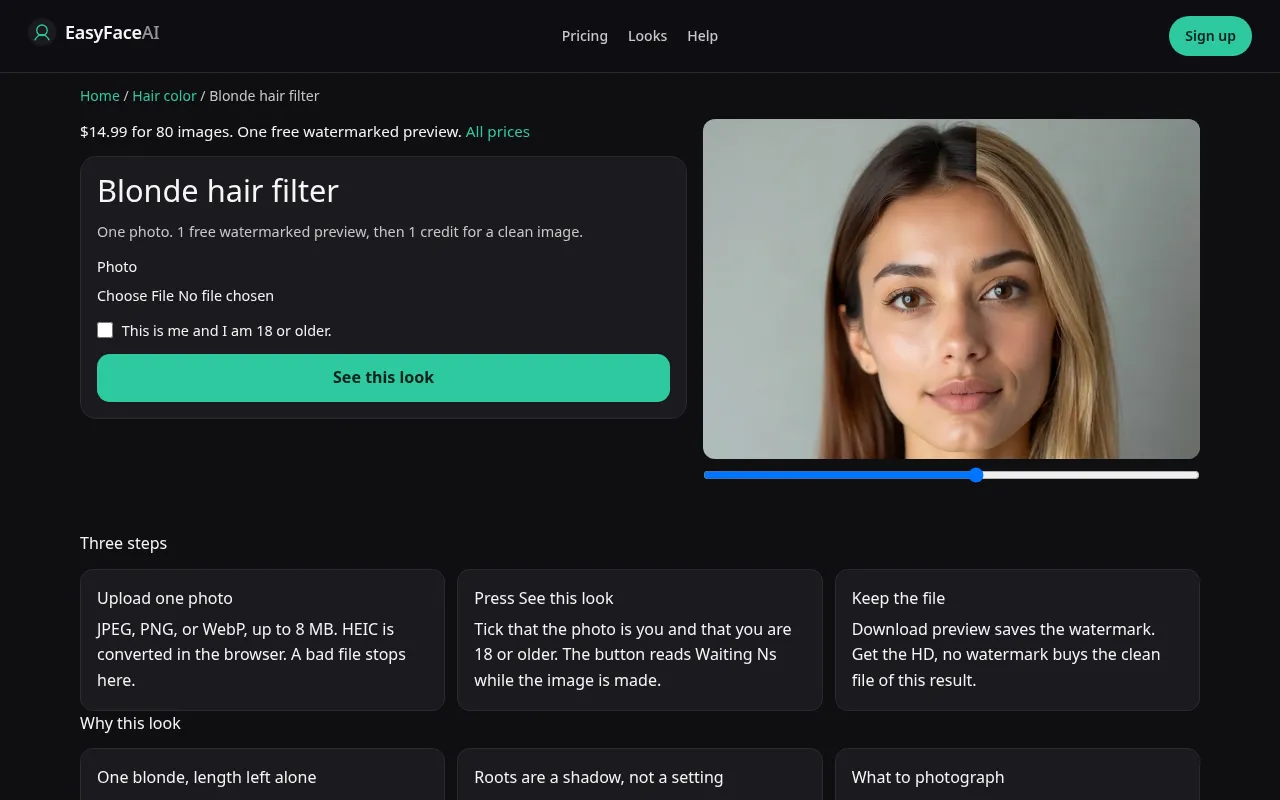
You get a single blonde on your existing length. Cool or warm, brassy or even, is the model's pick. This page cannot switch to brown or platinum. Those live on the chooser. The steps below are only for this locked color.
Open the look
Open Blonde hair filter. The outcome is already selected.
Add your photo
Choose a JPEG, PNG, or WebP. Tick “This is me and I am 18 or older.”
Press See this look
The button reads Waiting Ns while the image is made. A bad file stops before any charge.
Download
Download preview saves the watermark. Get the HD, no watermark buys the clean file of this result.
Open the tool
Open the Blonde hair filter. If a row of five colors appears, you opened the hub instead. Stay on the blonde URL when blonde is already the decision.
Check the sample
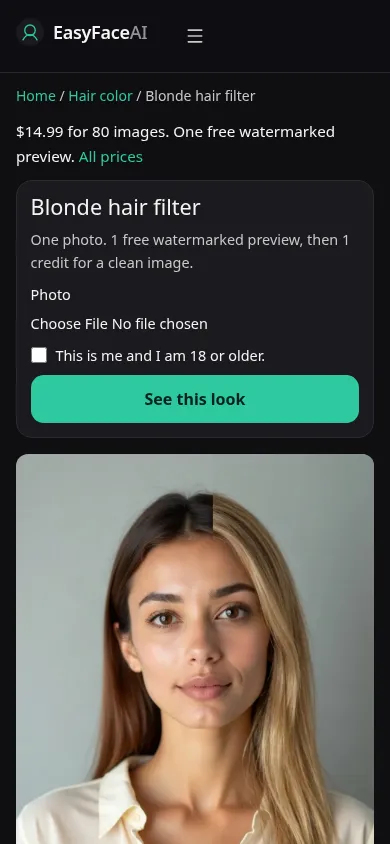
/looks/hair-color/blonde/blonde-help-desktop.webp is a desktop screenshot of the working blonde tool: sample adult with lightened hair, length matching a typical source, picker, checkbox, See this look, and no color dropdown. /looks/hair-color/blonde/blonde-help-mobile.webp is the 390-pixel-wide stack, sample hairline on screen so you can see that the page is not offering ash versus gold. Both images are of the UI, captured from the working page, not a salon level chart.
Upload
JPEG, PNG, or WebP. HEIC becomes JPEG in the browser before upload. Under 8 MB. Short edge 256 pixels minimum. Daylight, hair down, roots visible. Bathroom tungsten paints everything gold and then a warm result is partly the lamp. If you already have highlights, a photo where the stripes are visible will tell you later whether the stripes survived.
Confirm and run
Tick "This is me and I am 18 or older." See this look sends blonde only. Waiting Ns counts seconds. It does not let you steer brass out of the mid-lengths while you wait. Waiting 8s is not a toner stage. There is no stage. Leave the request alone until it returns.
Read the preview
One free watermarked preview if you are logged out, shared by every look: 800-pixel long edge, diagonal EASYFACE mark, IP and cookie, no daily refresh. Download preview saves it. Name the temperature you actually got before you decide "blonde" failed. A hard orange band is brass. A textureless butter color is the other miss. Try another photo for a new source, not for a guaranteed cooler shade, and not for a second free success.
Save the HD
1 credit buys HD without the watermark. Get the HD, no watermark points at the $14.99 pack of 80 credits. The rest is on Pricing. If generation fails, there is no charge: credits are refunded, and photos are deleted from private storage on the schedule in How photos are handled. Download is for that HD file.
When it fails
Oversized, undersized, empty, or unchecked files never call the model. No charge. Missing key: clean failure, no charge. A completed blonde that also cuts a bob or drops the hairline failed the hold. Yellow eyebrows mean the face was dyed along with the hair. Retry from the original, in daylight, rather than from the failed HD.
What this URL will not do
This locked page will not offer ash, beige, or strawberry as separate buttons. If the roots are dark and the lengths are already highlighted, the model dyes the whole visible hair, so a contrast you liked can flatten. That is a color change, not a root smudge. Brown and platinum are controls on the AI hair color changer, not on this URL. Reloading stays on blonde. A pink result means you opened the wrong page. Go to the pink hair filter for that dye, and do not expect this preview to shift toward it.
Last updated: 2026-10-08.