How to use the ai hair color changer
AI hair color changer is the tool these steps use.
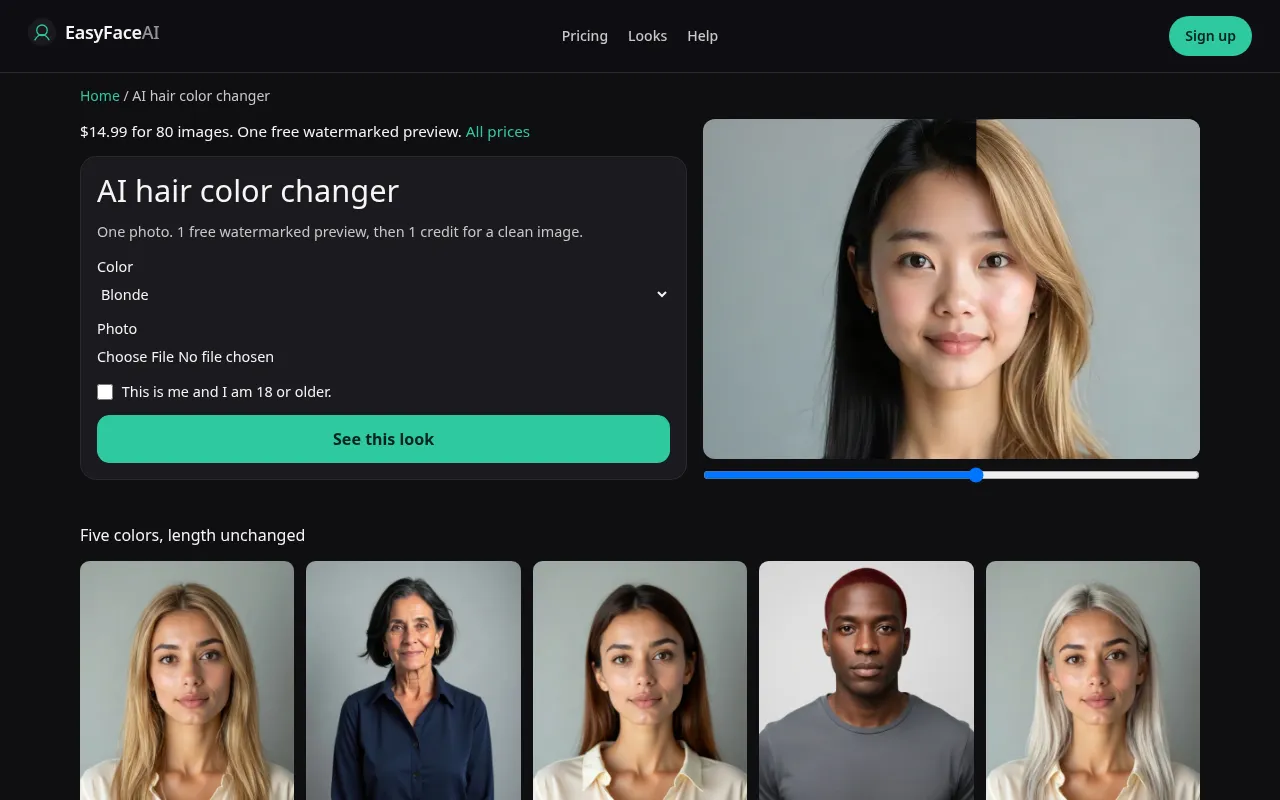
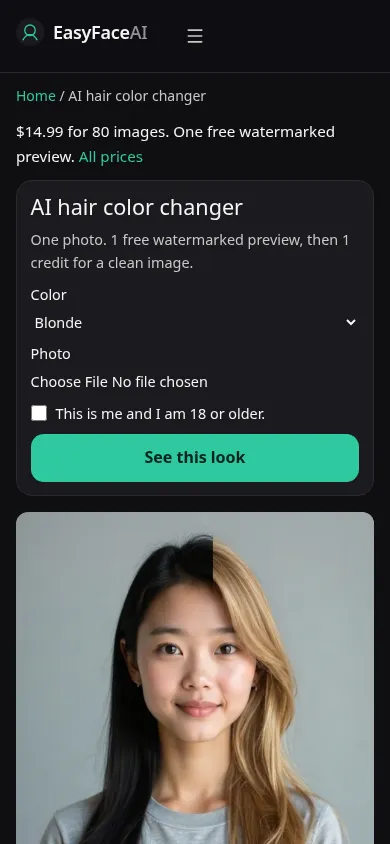
You get one of five hair colors on the photo you upload: blonde, black, brown, red, or platinum blonde. Length and hairline are supposed to stay. Brown and platinum exist only on this chooser. This article is how the chooser is operated, not a dye recipe.
Open the look
Open AI hair color changer. The outcome is already selected.
Add your photo
Choose a JPEG, PNG, or WebP. Tick “This is me and I am 18 or older.”
Press See this look
The button reads Waiting Ns while the image is made. A bad file stops before any charge.
Download
Download preview saves the watermark. Get the HD, no watermark buys the clean file of this result.
Open the tool
Open the AI hair color changer. You should see five choices, not a long catalog and not a pink chip. Locked pages such as blonde cannot be switched from inside this help file. Come here when you still want to compare.
Check the sample
/looks/hair-color/hub/hub-help-desktop.webp shows the working chooser on a desktop width: five color options, a sample adult whose length is unchanged across the explanation, the file control, the checkbox, and See this look. /looks/hair-color/hub/hub-help-mobile.webp is the 390-pixel-wide version, choices stacked so brown and platinum are on the screen rather than hidden as if they had their own URLs. These screenshots of the tool were captured from the working page. The sample color is not the color you will be assigned.
Upload
JPEG, PNG, or WebP. HEIC is converted in the browser to JPEG before upload. Under 8 MB. Short edge at least 256 pixels. Hair down, part visible, daylight if you can. A hat hides the root, and the root is how you tell a real transition from a painted cap. Do not send a file that has already been filtered lighter. The model will treat that cast as your hair.
Confirm and run
Select one of the five, then tick "This is me and I am 18 or older." See this look runs nano-banana, not hair-change. An empty hairstyle on hair-change would default toward long hair, which is why this button does not use it. Waiting Ns is seconds passing. It is not mixing toner. Pick the color before you press the button. The wait is not a moment to change your mind. A second color is a second run.
Read the preview
The free preview is one per logged-out visitor for all looks, not one per color. Long edge 800 pixels, EASYFACE on a diagonal, remembered by IP and cookie, no morning reset, no signup credits. Download preview saves the watermarked file. Check the part, the ear tip, and the end of the longest strand against the original. Try another photo if you need a cleaner source. It will not give you black for free after a successful blonde spent the proof.
Save the HD
Each successful HD image costs 1 credit and has no watermark. Get the HD, no watermark is the $14.99 pack of 80 credits. Other prices are on Pricing. If generation fails, there is no charge: credits are refunded, and photos are deleted from private storage on the schedule in How photos are handled. Download is the HD control.
When it fails
Bad files and a missing checkbox never call the model and never charge. A missing key fails clean. If the image returns with a new length, the color may still look pretty and the run is still a miss. Platinum that arrives as a white sheet with a moved hairline is the same kind of miss. Pink is not hiding in the five. It has its own page and its own credit if the free proof is already gone.
Last updated: 2026-10-08.