How to use the no beard filter
No beard filter is the tool these steps use.
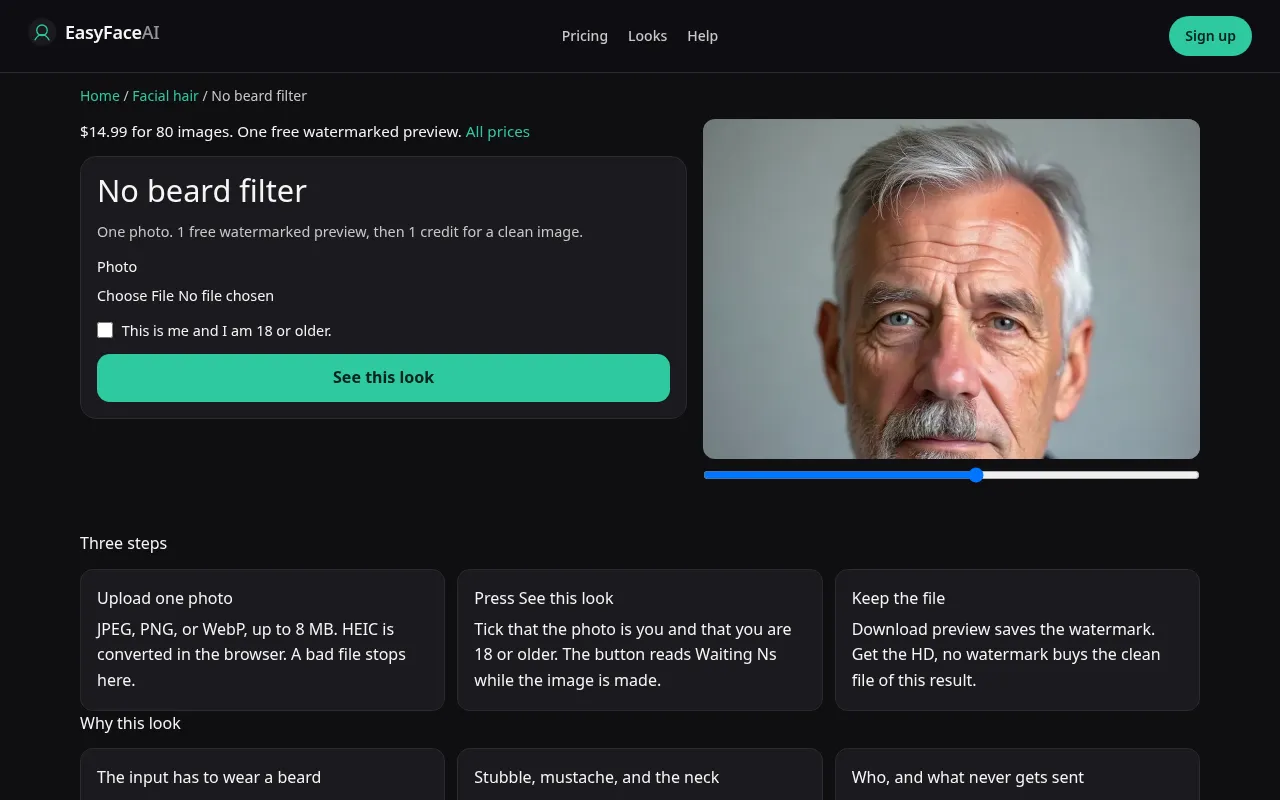
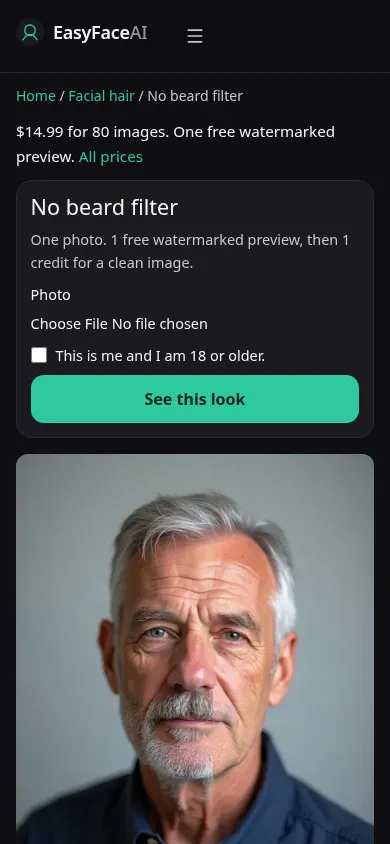
You get the beard and the stubble taken off an adult face that actually has them. The jaw underneath shows up. The skin may look calmer than the morning after a real shave. If the upload is already bare, the change is invisible and this article will not fix that.
Open the look
Open No beard filter. The outcome is already selected.
Add your photo
Choose a JPEG, PNG, or WebP. Tick “This is me and I am 18 or older.”
Press See this look
The button reads Waiting Ns while the image is made. A bad file stops before any charge.
Download
Download preview saves the watermark. Get the HD, no watermark buys the clean file of this result.
Open the tool
Open the No beard filter. The beard page adds hair. This one removes it. Opening the adder and hoping for a bare result wastes the run.
Check the sample
/looks/facial-hair/no-beard/no-beard-help-desktop.webp shows the working removal tool on a wide screen: the sample source side is a bearded adult, because a bare sample would teach the wrong input, with the picker, the checkbox, and See this look. /looks/facial-hair/no-beard/no-beard-help-mobile.webp is 390 pixels wide, stacked so the bearded sample is obvious before you upload a clean-shaven selfie by mistake. These screenshots of the tool were captured from the working page, not a dermatology after-photo.
Upload
JPEG, PNG, or WebP. HEIC is converted in the browser to JPEG before upload. Under 8 MB. Short edge at least 256 pixels. The face needs a beard or real stubble. Include under the chin. A beard that continues below the crop comes back as a clean jaw and a dirty neck, or as a blurred throat. Collar open. Do not send a beauty-mode portrait that has already smoothed the cheek.
Confirm and run
Check "This is me and I am 18 or older." See this look runs the removal. Waiting Ns is seconds on the label. It is not a shave. Nothing in the wait predicts razor burn, bumps, or how the skin will feel. Let it finish. Uploading a second, already-bare photo in parallel will not create the contrast you skipped.
Read the preview
The logged-out free preview is singular across looks: 800-pixel long edge, diagonal EASYFACE watermark, remembered by IP and cookie, not restored tomorrow. Download preview writes it. Compare the upper face first. If the eyes moved, do not trust the new chin. A pale strip along the jaw may appear, or the model may grade it away. Porcelain texture is the render being polite. Try another photo only with a hairier source if the first file was bare. A success already consumed the free proof.
Save the HD
Unmarked HD costs 1 credit. Get the HD, no watermark offers the $14.99 pack, 80 credits. The rest of the list is Pricing. If generation fails, there is no charge: credits are refunded, and photos are deleted from private storage on the schedule in How photos are handled. Download saves that HD file.
When it fails
Bad files and a missing checkbox never start the model and do not charge. A missing key fails unpaid. The sneakier failure is a "success" on a bare input: the jaw shifts anyway so the picture looks edited. Discard that. A leftover mustache means removal stopped early. Retry from a stubbled photo with the neck visible, and judge shape, not pores.
Start from a beard
Open this page with a bearded photo if you want to see the shave. A photo that is already clean-shaven has nothing to remove, and the result can look like the source or, worse, like a jaw that was redrawn for no reason. The page does not add a beard. Light shadow may come back smoother rather than perfectly bare. That is the limit of one instruction. The opposite job is the beard filter. Do not pay for an HD file whose only change is a shifted chin.
Last updated: 2026-10-08.